
Type landscaping scheduling software into Google and the first page hands you two different products under one name.
Some of the results are appointment booking tools: a customer lands on your booking page, picks a slot, and the software drops it on a calendar. Setmore, Koalendar and Anolla all rank on this term, and two of them rank with the word "free" in the title. The rest are route-based operations tools: Aspire, Jobber, LawnPro, OctopusPro, FieldVibe, TurfHop. Those start from a different assumption — that the same 60 properties get visited on a repeating cycle and the only question is what order the truck hits them in.
The searcher usually knows which one they need and has no way to tell them apart from a SERP. Google's own snippet on the one unsponsored result — a thread in r/landscaping sitting at position 3 — frames it exactly: "Looking for a scheduling service to track recurring appointments and notify clients of the completed service." Recurring, and a notification after the work is done. Half the page cannot do either.
This post separates the two categories, prices both from the vendors' own pages (read 23 August 2026), and gives you three questions that sort any tool into the right bucket in about a minute.

Read the routing line on a cheap plan before you buy it. GorillaDesk's $49 tier orders jobs but is capped at 25 stops at a time; the optimiser that uses real street drive times sits on the $99 tier. Whether that cap bites is a stop-time question and worth doing honestly: at 40 minutes a stop a crew does about 13 in a nine-hour day and never reaches it, while a 20-minute mowing route clears 24 to 27 and sits right on the line. Where the tier line actually falls.
The three questions that sort any scheduling tool
Feature lists are useless here because both categories use the same nouns — calendar, schedule, reminders, mobile app. That last noun is carrying more weight than it looks. Yardbook's own pricing page says plans include "web & desktop access, and Android mobile app access" — there is no iPhone or iPad app at all — and two vendor apps in this category last shipped a build in 2024 and 2021. We checked every one of them against Apple's own catalogue in what lawn care software actually runs on a Mac, a PC and an iPad. These three questions are not on any feature list and they separate the categories cleanly.
1. Can it create a series, or only an appointment?
A maintenance book is not 260 decisions a month. It is roughly a dozen decisions — "the Hendersons are every Tuesday, April through November" — that the software should expand into individual visits on its own. Booking tools invert that: every appointment is created by a customer choosing a slot, one at a time. Setmore lists "recurring appointments" as a Pro feature and not a Free one, which tells you the free plan expects you to create each visit yourself.
Run the arithmetic before you decide that is fine. A 60-client weekly book is 60 × 52 ÷ 12 = 260 visits a month, 3,120 a year. Creating those by hand is not a scheduling system, it is data entry with a calendar attached.
2. Can it order a day, or only list it?
A booking calendar sorts a day by clock time, because that is what the customer picked. A route tool sorts the same day by drive time, because nobody picked anything — the day is yours to sequence. Those two sorts produce very different afternoons, and the gap is the windshield hours you never bill for.
This is also where the pricing gets interesting, because route optimization is very often not in the plan you were quoted. At LawnPro, "Optimized Routes & Route Analytics" appears at the Grow tier, not at Startup (see the table below). At OctopusPro's top tier, routing runs on your Google Maps API key rather than theirs.
3. What happens when Tuesday rains out?
This is the question almost nothing answers well, in either category. A booking tool will let you cancel or move appointments one at a time, which for 22 Tuesday stops is 22 operations. Most route tools do the same thing with nicer drag-and-drop. The honest state of the market is that a lost day is still mostly manual labour, and if a vendor claims otherwise, ask them to show you a rained-out Tuesday being absorbed into Wednesday and Thursday without touching the underlying recurrence.
Category one: appointment booking tools
These are genuinely good products for the job they were built for — a barber, a photographer, a consultant, anyone whose customers pick a time. Two of them rank on a landscaping query. Here is what they cost and where they stop, from their own pricing pages on 23 August 2026.
| Tool | Free plan | Paid | Recurring visits | Route ordering |
|---|---|---|---|---|
| Setmore | Up to 4 users, 200 appointments/month, email reminders | Pro $5/user/mo annual, $12/user/mo monthly | Pro only | Not offered |
| Koalendar | 1 user, unlimited bookings, no payments, no SMS | Pro $6.99/seat/mo annual, $9.99 monthly | Not stated | Not offered |
The prices are low and the limits are the story. Setmore's free plan — the one Google surfaces under the title "Free Online Landscape Scheduling Software" — caps at 200 appointments a month. Against a 260-visit book that is 77% of the month; the cap is reached by the 46th weekly client. And because recurring appointments sit on the paid tier, those 260 entries are hand-made.
Setmore Pro at $5 a seat is inexpensive by any standard — three logins is $180 a year. Paying monthly instead is $12 a seat, 2.4x the annual rate, the widest monthly-versus-annual gap in this entire comparison. Koalendar's is 30% ($6.99 against $9.99).
Neither page mentions route ordering, drive time or crews, and that is not a criticism — they never claimed to. It is only a problem because a search engine put them in front of someone with a truck.
Category two: route-based operations tools
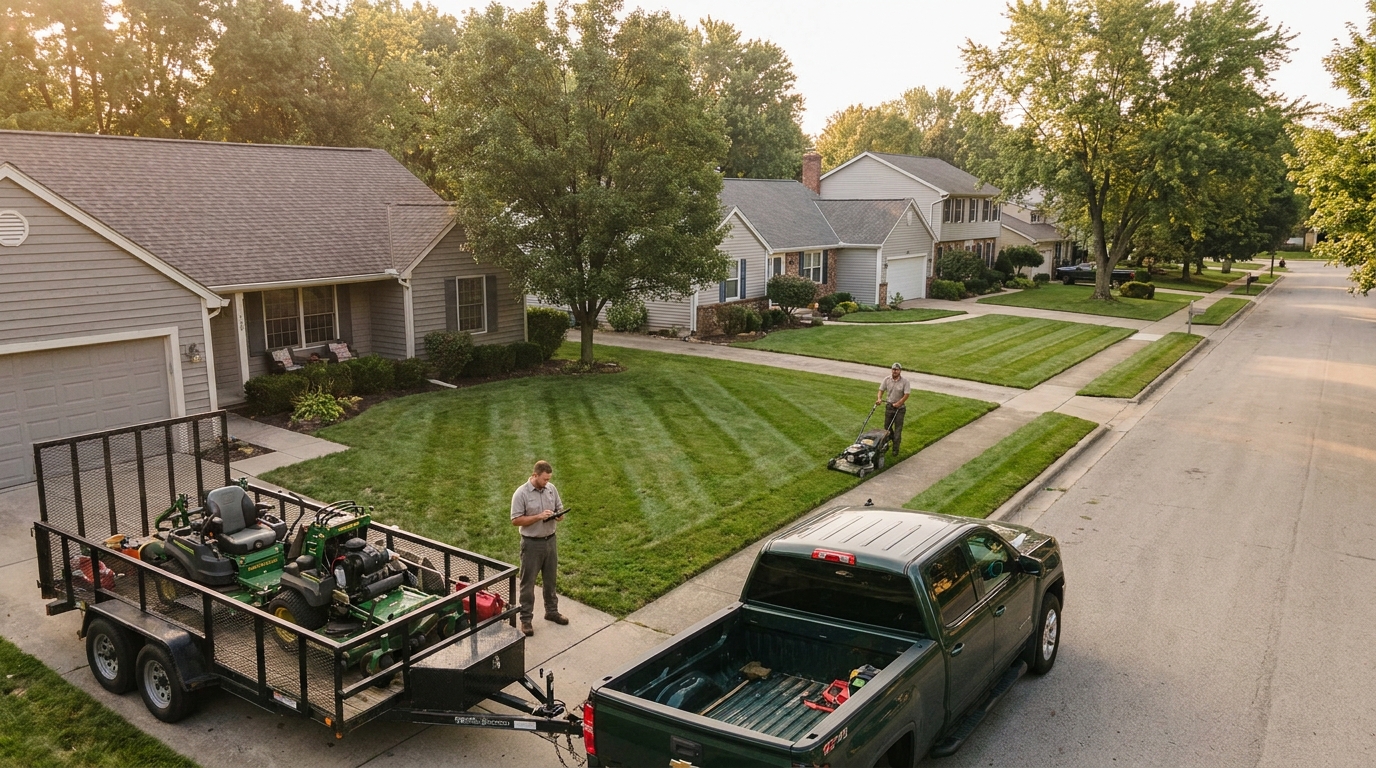
These assume the recurring book and build outward from it. Prices below are list prices from each vendor's own pricing page on 23 August 2026.
| Tool | Entry | The tier with route optimization | Seat model |
|---|---|---|---|
| LawnPro | Solo $0 (1 user, 25 customers) | Grow $99/mo annual, $129 monthly ($1,188/yr) | Employees bundled per tier: 1 / 3 / 7 |
| FieldVibe | Solo free (1 user, single device, manual reminders) | Not offered | Solo Pro $20/mo · Crews $50/mo unlimited users |
| Jobber | Core $49/mo list, 1 user | Listed in the plan matrix; per-tier availability not resolvable from the rendered page | Extra users $29/mo each |
| OctopusPro | Starter $36.25/mo or $348/yr | Unlimited tier, on your own Google Maps key | Established: $60/admin/mo + $6/fieldworker/mo |
| Aspire | No public pricing; quote only. See our Aspire pricing breakdown. | ||
| TurfHop | Pricing page returned a server error rather than a price on 23 August 2026, so it is not priced here. | ||
The free tiers are not the same product, and both are called free
LawnPro's Solo plan is $0 and genuinely capable — scheduling, quotes, invoices, online payments, client portal, time tracking, mobile app — with one hard limit: 25 customers. On a 60-client book that is 41.7% of the business. FieldVibe's Solo plan has no customer cap at all (unlimited jobs and clients) but restricts you to a single device and manual reminders, which is a different kind of ceiling: it works until you want the schedule on the truck's phone and the office laptop on the same day.
One caps the book. One caps the hardware. Both are marketed with the same word.
Metered plans, priced against a real route
The limits that bite are the ones counted per month, and no vendor prices them against a maintenance book, so here they are against 260 visits.
| Limit | Plan | Against a 260-visit month |
|---|---|---|
| 200 appointments | Setmore Free | Covers 77%. Cap hit at 46 weekly clients. |
| 150 automated reminders | FieldVibe Solo Pro ($20/mo) | Covers 58%. 110 visits go unreminded. |
| 400 automated reminders | FieldVibe Crews ($50/mo) | Covers the month with 140 to spare. |
| 25 customers | LawnPro Solo (free) | Covers 41.7% of a 60-client book. |
The FieldVibe row is the one worth sitting with. Client reminders are the single feature most often cited as the reason to buy scheduling software at all — it is literally what the Reddit poster asked for — and the $20 plan covers 58% of a weekly book. The plan that covers it is $50, which is 2.5x. That is not a criticism of FieldVibe's pricing, which is among the plainest on this SERP; it is a warning about reading a reminder allowance as "reminders included."
Route optimization is priced like a premium feature, because it is one
LawnPro publishes four tiers. Route optimization arrives at the third. Startup is $29/mo on annual billing; Grow, the tier containing "Optimized Routes & Route Analytics", is $99/mo on annual billing — 3.41x the price. On monthly billing it is $39 against $129, 3.31x.
This is the fourth green-industry vendor we have priced where the feature you are actually buying sits two tiers above the number in the headline. Arborgold gates job costing the same way; SingleOps puts route optimization on its top tier; the accounting vendors charge 3.0x–3.7x for job costing. The rule that keeps falling out of this: find the tier that contains the one feature you are buying the software for, and treat that as the price. For a route-based maintenance business, that feature is usually routing, and the honest LawnPro number is therefore $1,188/yr, not $348.
Credit where it is due on the same page: LawnPro's annual discount is advertised as "Save 20%" and is actually 25.6% at Startup ($29 against $39) and 23.3% at Grow, landing on exactly 20% only at the top tier. A vendor understating its own discount is rare enough to note — it is the second instance we have found, after SynkedUP's activation fee that is waived on annual billing. Less flattering, and worth knowing before you treat a countdown as real: the banner running on that page on 23 August 2026 read "New Year Savings: 40% off for your first 3 months — ends soon."
Jobber's headline is the cheapest cell in a matrix
Jobber's pricing page carries the title "Jobber Pricing: Plans Starting at $29/Month". The $29 is real, and it is the Core plan's rate after a 12-month promotional period, on annual billing, for one user, for new customers only, with the offer ending 31 August. The same plan's no-commitment list price on the same page is $49/mo — the headline is 41% below it.
The seat model matters more than either number once you have a crew. Every additional login is $29/mo. A five-person operation on Core at list is $49 + 4 × $29 = $165/mo, or 3.4x the advertised entry price, before anyone has looked at whether Core contains the features they need. Grow's list price is $199/mo for one user; Plus starts at $499/mo and includes five.

OctopusPro charges per booked job, and the model you pick is a 4x decision
OctopusPro's top tier is the most unusual price on this SERP and the one most likely to surprise a maintenance business. The Unlimited Users plan is a $99/mo platform licence ($999/yr) covering unlimited admin and fieldworker seats — and then you must choose one of two usage models on top:
- Booking Fee model: $1 per booked job, counted when a booking is created and at least one fieldworker is assigned. Quotes and voided bookings are excluded.
- Commission model: 2% of the value of invoices created that month. Unpaid invoices still count until voided.
On 260 visits a month, the booking-fee model adds $260 to a $99 licence — the usage fee is 2.6x the subscription, and the annual figure is $999 + $3,120 = $4,119. That is not hidden; it is published clearly, with a worked example. But the choice between the two models is left entirely to you, and the vendor's own example shows how much that choice is worth: 245 booked jobs against $47,850 invoiced gives $245 under the booking fee and $957 under commission — the same month, 3.9x apart.
The break-even is simple arithmetic the page does not spell out. $1 per job equals 2% of invoiced value when the average booked job invoices $50. Above $50, the flat fee wins; below it, commission does. OctopusPro's own example averages $195 a job, which is install and project work — that is why commission looks so bad there. A mowing visit invoicing around $52 lands within a few dollars of the crossover, so for a pure maintenance route the two models are close to a coin flip. Mixed books are where it matters: if you mow all week and build a patio in April, the model you picked in January decides what April costs.
One more detail on that tier: route optimization runs on your own Google Maps API key rather than OctopusPro's shared one. The spend itself is small — Google's Routes API starts around $0.005 per event, so 260 optimizations is roughly $1.30 a month before any free allowance — but it is a second billing account to create, monitor and keep a card on.
So which category do you actually need?
Answer one question honestly: does your customer choose the time, or do you?
If your customer chooses — consultations, one-off design appointments, spring cleanup bookings taken off a website form — a booking tool is the right shape, and Setmore at $5 a seat is hard to argue with. Many landscaping businesses genuinely want both, and running a $60/yr booking page alongside an ops tool is a perfectly reasonable stack.
If you choose — and for anything with the word maintenance in it, you do — then a booking calendar is the wrong primitive no matter how cheap it is, because the thing you need generated (a series) and the thing you need sorted (a day, by drive time) are both outside what it does. Our longer piece on what landscaping maintenance software must do goes through the contract side of the same problem, and the best landscape management software comparison covers the full-suite end of the market.
Where Landscapey sits, plainly
We are in the second category, and narrowly so. Landscapey generates recurring visits from a job's frequency and weekday rather than from bookings, optimizes a day's stops by drive time from your home base, and bills the resulting visits either flat-monthly or per-visit so the schedule and the invoice cannot drift apart. The rained-out Tuesday has a purpose-built answer: a reshuffle that previews where every client's visit would move and absorbs the day forward without touching the underlying recurrence.
What we are not: a customer-facing booking page where homeowners pick their own slots. If that is the job, one of the tools in the first table is a better buy than we are, and the honest recommendation is to take it. We are also not the enterprise end — if you need takeoffs, purchase orders and phase-based job costing, that is Aspire and LMN territory.
Pricing is one plan at $19.99/mo (or $199.99/yr) with everything included and no per-seat charge, which is the part of the comparison above we deliberately built against: no tier gate on routing, no per-job fee, no seat multiplier. Details on the scheduling feature page and the pricing page, and the whole-market cost picture in our lawn care software cost breakdown.
Frequently asked questions
Can I run a lawn care route on free scheduling software?
Up to a point, and the point is smaller than it looks. LawnPro's free plan stops at 25 customers; Setmore's stops at 200 appointments a month, which a 60-client weekly book passes in the third week; FieldVibe's is unlimited on clients but single-device and manual-reminder only. All three are real products, not crippled demos — they just cap in three different places, so the question is which cap you hit first.
What is the difference between scheduling software and routing software?
Scheduling answers when; routing answers in what order. A maintenance business needs both and usually buys them as one product, but they are frequently priced separately: at LawnPro, routing is a tier that costs 3.41x the entry plan. Our guide to lawn care routing software covers the routing half in detail.
How many visits a month is a 60-client weekly book?
260. Sixty clients times 52 weeks divided by 12 months is 260 visits a month and 3,120 a year. It is worth doing this sum before reading any pricing page, because almost every metered limit in this market — appointments, reminders, jobs — is quoted per month against no particular business.
Does Jobber really start at $29 a month?
That figure is the Core plan on annual billing after a promotional period, for one user, for new customers. The no-commitment list price for the same plan on the same page is $49/mo, and each additional login is $29/mo on top. Our Jobber cost breakdown works through the tiers.
Is per-job pricing cheaper than a flat subscription?
It depends entirely on your average invoice. OctopusPro's $1-per-booked-job model equals its 2% commission model at exactly $50 of invoiced value per job. For a mowing route averaging around $52 a visit the two are within a few percent of each other; for install work averaging $195 a job, commission costs 3.9x the flat fee. Either way, on 260 visits a month the usage fee is larger than the $99 platform licence it sits on top of.
What should I ask a vendor on a demo call?
Three things, in this order: show me a recurring series being created once and generating its own visits; show me a single day being re-ordered by drive time; show me a rained-out day being moved without breaking the recurrence. If the answer to the first is "the customer books it," you are looking at a booking tool. If the third gets vague, budget for the manual work.
Sources and limits
- All prices were read first-hand from each vendor's own pricing page on 23 August 2026: setmore.com/pricing, koalendar.com/pricing, fieldvibe.com/pricing, lawnprosoftware.com/pricing, getjobber.com/pricing and octopuspro.com/pricing. Prices change; check before you buy.
- The SERP composition described in the opening is the live Google top-18 for landscaping scheduling software on 23 August 2026, US, English.
- We did not read the Reddit thread. It ranks at position 3 and is the only unsponsored voice on the page, but reddit.com is not reachable from the machine this research ran on. The sentence quoted is Google's own result snippet, not the thread's contents, and we make no claim about what the replies say.
- TurfHop is unpriced here because its pricing page returned a server error instead of a price on 23 August 2026. Aspire publishes no prices at all.
- Jobber's plan-feature matrix lists Routing, but the per-tier availability could not be resolved from the rendered page, so no claim is made about which Jobber tiers include it.
- FieldVibe advertises 25% off on yearly billing; the monthly figures quoted ($20 and $50) are the monthly-billing prices shown on the page, not the discounted annual equivalents.
- The 260-visit month, the 60-client book and the ~$52 average visit are a worked example used consistently across our pricing posts, not survey data. Substitute your own numbers — the arithmetic is what matters, not our figures.
- Landscapey is one of the tools discussed. Where a competitor is a better fit for a job we say so, and the free plans above are named with their real capabilities rather than their limits alone.