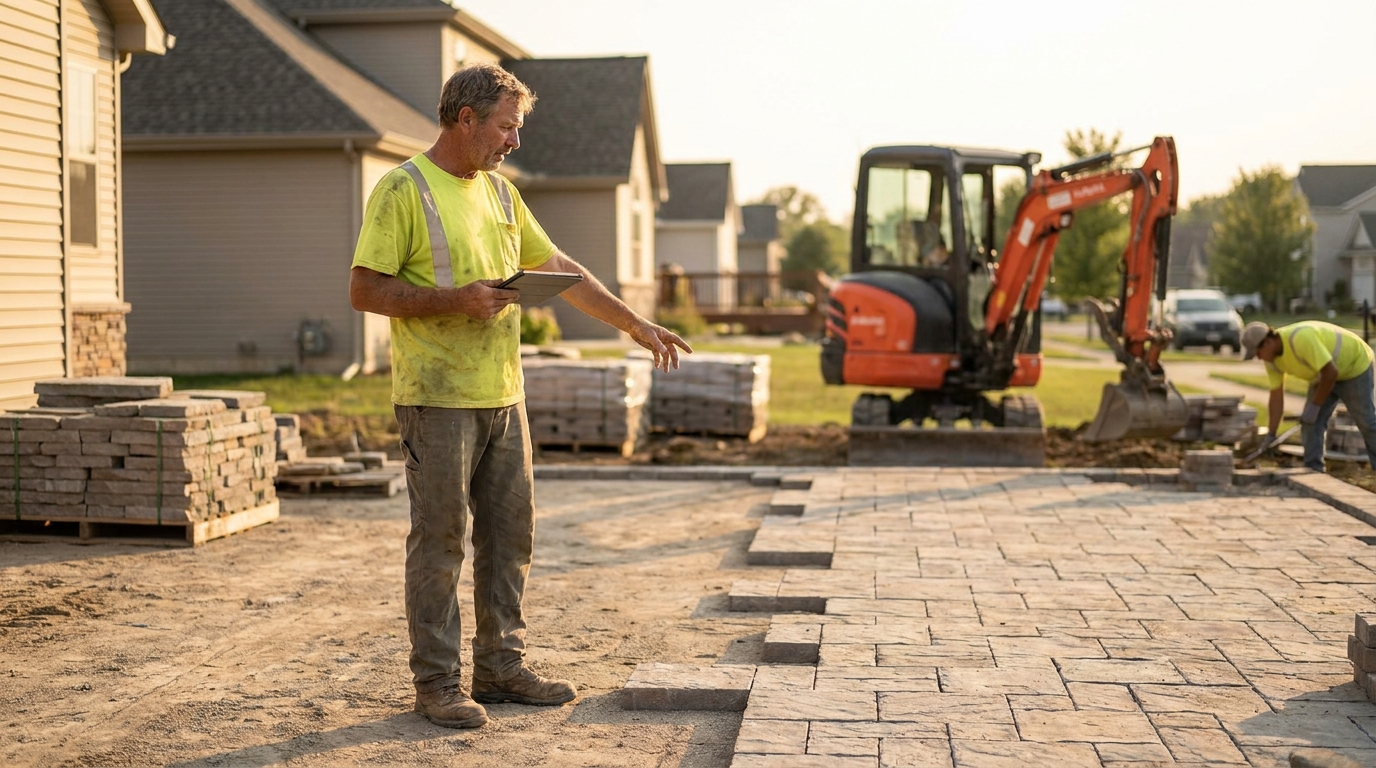
Search for landscape project management software and you get twelve results that do not agree on what you are shopping for. Some are built to move a mowing crew through forty stops a day. Some are built to run a six-week patio build with three material deliveries and two change orders. Two of them are design tools for drawing the patio in the first place. They all use the same words on the same page, and the differences only show up after you have paid.
This guide separates them. It covers what project work actually demands from software that route work does not, what the vendors on that first page charge - checked first-hand against their own pricing pages on 21 August 2026, not against a review site - and how to pick based on your revenue mix rather than on which feature list is longest.
The phrase is doing two different jobs
A landscaping company usually runs two businesses out of the same truck yard.
The first is recurring maintenance: the same properties, the same crews, every week or every other week, billed monthly or per visit. The work is identical from stop to stop. The scheduling problem is a routing problem - how do you get eleven crews past two hundred properties without wasting the day in traffic. The money problem is a margin-per-visit problem.
The second is install and build work: a patio, a retaining wall, a drainage fix, a full front-yard renovation. Each one is a one-off with a start date and an end date, phases that must happen in order, materials that arrive on trucks, sometimes a subcontractor, and a customer who changes their mind in week two. The scheduling problem is a sequencing problem. The money problem is a job-costing problem - did this specific job make what the estimate said it would.

Software built around the first problem stores a schedule. Software built around the second stores a plan. That sounds like a distinction without a difference until the week you try to run a phased build on a tool whose smallest unit is a visit.
What breaks when you run installs on route software
Route-first tools model work as recurring visits against a client. That model is excellent at what it does and it has four specific failure points on project work.
1. There is no dependency between tasks. Base prep has to finish before pavers go down. Route software will happily let you schedule both on Tuesday, because it has no concept that one blocks the other. You end up managing sequence in your head or in a spreadsheet, which is the thing you bought software to stop doing.
2. Materials are invisible. A mowing stop consumes fuel and string. A patio consumes forty-one pallets of stone, eleven tons of base, and geotextile, ordered from two suppliers on different lead times. Most route tools have no purchase-order concept at all, so material cost arrives later as a pile of receipts you reconcile against a job you have already invoiced.
3. The estimate and the actual never meet. Route software knows what you charged. Project software is supposed to know what you said it would cost and compare that to what it did cost, by phase. Without an estimated-hours field on the job, you cannot answer the only question that matters on install work: are we bidding these right.
4. One invoice, at the end. Recurring billing is a monthly cycle. Project billing is a deposit, a draw or two, and a final - plus change orders billed as they are approved. Tools with no draw schedule leave you inventing one manually, which is how change orders end up unbilled.
Seven things project work needs
| Capability | Why install work needs it | Common on route tools? |
|---|---|---|
| Phases with dependencies | Base prep blocks paver set; demo blocks base | No |
| Takeoff / quantity estimating | Square footage to pallets to dollars, without arithmetic by hand | No |
| Material purchase orders | Committed cost visible before the invoice arrives | Rare |
| Estimated vs actual hours | The only honest test of whether you bid it right | No |
| Progress billing / draw schedule | Deposit, milestone draws, final - cash before completion | Rare |
| Change-order workflow | Scope changes get signed and billed, not absorbed | No |
| Subcontractor tracking | The excavator guy, the electrician, the mason | No |
You do not need all seven. A maintenance-led shop that installs a dozen small patios a year needs signed change orders and a deposit far more than it needs a takeoff engine. Which of the seven you need is set by your revenue mix, and we get to that below.
What the vendors on that first page actually charge
Here is what the six operator tools ranking for this term publish on their own pricing pages, checked on 21 August 2026. Two of them publish nothing usable.
| Vendor | Published price | Seat model |
|---|---|---|
| GoCanvas | $29 / $39 / $49 per user per month, billed annually | Per user, 3-user minimum |
| Buildxact | $199 / $399 / $599 monthly; $169 / $339 / $509 billed annually ($2,030 / $4,070 / $6,110 per year) | Unlimited users |
| LMN | $297 and $648 per month; Enterprise quote-only from 100 users | Bundled licenses: 1 office + 5 crew, or 3 office + 15 crew |
| SynkedUP | $399 / $599 monthly; $359 / $539 billed annually | 2 or 5 users included, then $20 per user per month |
| Aspire | Nothing published | Quote-only |
| Houzz Pro | Nothing on its landscape page | Not stated there |
Four different seat models on one search results page. That matters more than the headline numbers, because it means the cheapest tool changes depending on how many people you employ.
Three people versus ten people, year one
Take a three-person shop - one owner in the office, two in the field - and a ten-person shop with two office staff and eight field. Annual cost, cheapest published configuration, before any onboarding fee:
| Vendor | 3 people | 10 people |
|---|---|---|
| GoCanvas Essentials | $1,044 | $3,480 |
| Buildxact Foundation | $2,030 | $2,030 |
| LMN | $3,564 (Starter) | $7,776 (Professional) |
| SynkedUP Standard | $4,548 | $6,228 |
The order changes. At three people the per-user tool is the cheapest on the board and the unlimited-seat tool costs nearly twice as much. At ten people the unlimited-seat tool is the cheapest and the per-user tool costs 71% more. The crossover sits just under six users: Buildxact's $2,030 a year divided by GoCanvas's $348 per user per year is 5.83, so from the sixth seat onward the unlimited plan wins and keeps winning.
The spread at ten people is $2,030 to $7,776 - 3.8 times, for tools that all rank on the same query. Nobody is being dishonest. They are selling to different sized companies and the search results page does not tell you which one you are.

The fees that are not in the headline price
Three of the four vendors that publish a price also attach a cost that is not in it.
SynkedUP charges a one-time $1,000 activation fee on monthly billing and waives it on annual. Its page advertises the annual saving as 10%. On the Standard plan, year one monthly is $399 x 12 + $1,000 = $5,788, and year one annual is $359 x 12 = $4,308. That is a $1,480 gap, or 25.6% - two and a half times the advertised figure. From year two, with activation already paid, the comparison is $4,788 against $4,308, which is exactly 10.0%. The claim is true; it is just understated in the year you actually make the decision.
LMN states its monthly price applies "after one-time onboarding fee" and does not publish what that fee is. Its bundled licenses also create a cliff rather than a slope: Starter covers one office user and five crew, so a shop with six field staff and two in the office does not pay a little more, it moves to the $648 tier and pays 118% more. We went through LMN's tiers in detail in our LMN pricing breakdown.
GoCanvas has a three-user minimum and prices only on annual billing, so the real floor is $1,044 a year even if you are a one-person operation.
Buildxact was the one whose arithmetic checked out cleanly: $169 x 12 is $2,028 against a stated $2,030, and the annual discount is a straight 15% at all three tiers with no fee attached. It is worth noting it is an Australian company selling into the US, and its page carries a GST line that will not apply to you.
Aspire publishes nothing at all, which we covered in our Aspire pricing research. Quote-only pricing is a legitimate model for enterprise software; it also means you cannot compare it to anything on this page without a sales call.
A note on how thin this category's content is
One detail worth reporting, because it says something about how much attention this term gets. The Houzz Pro page ranking on the first page for landscape project management software opens its definition with this sentence, verbatim as of 21 August 2026:
"Landscape construction management software is an online tool that helps roofers create schedules, monitor project status, send communication and progress projects towards completion."
Roofers. It is a template page with one industry noun left unreplaced, ranking on the first page of a term with a three-figure cost per click. That is not a knock on the product, which is a real product used by real contractors. It is a measure of how little anyone has bothered to write for this search - which is also why you are reading a page that had to do its own price checking.
Progress billing and change orders, with real numbers
This is where project work punishes route-shaped software hardest, so it is worth working through an actual job.
Say you sell a 640 square foot paver patio with a seat wall for $18,400. A sane draw schedule looks like this:
- Deposit at signing, 30% - $5,520
- Draw at base prep complete, 40% - $7,360
- Final on completion, 30% - $5,520
Now the material package. Stone, base, edging and geotextile come to $6,300, and your supplier is net-30. Look at what that does to the deposit: your 30% deposit of $5,520 does not cover the $6,300 of material you have to buy to start. You are $780 short on day one, before a single hour of labour. Most owners discover this on the third or fourth install, not in the estimate.

Then the customer changes their mind twice, which they will:
- Change order 1 - upgrade to permeable pavers: +$2,760
- Change order 2 - add 12 linear feet of seat wall: +$1,380
Revised contract value is $22,540. The two change orders are $4,140, or 22.5% of the original contract. If your software has no change-order object and you bill them at the end alongside the final draw, you are financing $4,140 of extra material and labour for the length of the job, and you are asking for a signature on scope after the work is already in the ground. That is the single most common way install margin evaporates - not bad estimating, unbilled scope. Outrank's guide to change order management covers the paperwork side; the software point is narrower: if change orders are not a first-class record, they get absorbed.
Job costing on a project is not margin on a route
On the maintenance side, the unit of profitability is the visit. A $185 a month mowing account at 26 visits a year is $85.38 per visit; if the crew averages 42 minutes on site, you can price the route and know within a dollar whether it works. We went through that arithmetic in our piece on landscaping profit margins.
On the install side the unit is the job, and the number that matters is estimated hours against actual hours. Take the same patio, now at its original $18,400:
| Estimated | Actual | |
|---|---|---|
| Crew hours | 148 | 171 |
| Labour at $52/hr loaded | $7,696 | $8,892 |
| Gross margin | 38.0% ($6,992) | 31.5% ($5,796) |
A 23-hour overrun - 15.5% over the estimate, which on a six-week build is an ordinary week - costs $1,196, and takes 6.5 points off the gross margin. Route software cannot show you this, because it has nowhere to put the 148. It knows the 171 and it knows the $18,400, and it will show you a profitable job. The estimate is the missing half.
Run that comparison across a season and you find out whether your patio bids are systematically light, which is worth more than any scheduling feature on any of these platforms.
How to choose, by revenue mix
Ignore the feature grids. Work out what share of your revenue is recurring, and pick from that.
| Recurring share | What you are | What to buy |
|---|---|---|
| Over 80% | Maintenance company that installs occasionally | Recurring/route-first software. Handle installs as detailed quotes with a deposit. Do not pay for a takeoff engine. |
| 50-80% | Most established landscaping companies | Recurring spine, plus real discipline on quotes, deposits and signed change orders. A second tool only if installs are growing. |
| Under 50% | Install-led or design-build | Project-first software: phases, takeoffs, purchase orders, job costing. This is what the higher-priced tools above are for. |
| Design in-house | Design-build with a drawing department | Add a design/CAD tool. That is a separate category from everything in this article. |
That last row is not a throwaway. Two of the twelve results for this term are landscape design software - tools for producing the drawing and the client presentation, not for running the build. Of the twelve results checked on 21 August 2026: seven were vendor pages for operator software, two were directory or listicle pages, two were design and CAD tools, and one was a Reddit thread from r/LandscapeArchitecture. If you buy from the wrong two you will get beautiful renderings and no way to schedule a crew. Our roundup of landscape management software keeps those categories separate for the same reason.
Where Landscapey fits, honestly
Landscapey is built recurring-maintenance-first, and we would rather say that plainly than have you find out in week three.
What it does well for a shop that also installs: quotes and estimates with itemised line items that convert straight into a job or an invoice; a client record that carries the whole history; expenses you can tag to a job as receipts come in; invoicing with online card payments so a deposit can be collected the day the quote is approved; and QuickBooks Online sync so none of it is re-keyed. That covers a maintenance-led company doing installs on the side, which is most companies in the 50-80% band above.
What it does not do: there is no takeoff or quantity engine, no phase scheduling with dependencies, no purchase orders, and no automatic draw schedule - you would build a three-draw sequence as three invoices. If installs are the majority of your revenue and you need estimated-versus-actual hours by phase, the project-first tools in the table above are built for that and we are not.
Where we are strong is the other half of the business: recurring jobs, route optimisation, the public profile that brings quote requests in, and getting invoices paid. If that is your centre of gravity, our pricing is one plan with everything included, and you can start a free trial without a card. If it is not, one of the tools above is a better spend and we would rather you spent it there.
Frequently asked questions
Is landscape project management software the same as landscape design software?
No, and conflating them is the most expensive mistake on this search. Design software produces drawings, renderings and client presentations. Project management software runs the build - schedule, materials, labour, billing. Two of the twelve first-page results for this term are design tools. If you need both, you are buying two products.
Do I need project software if installs are only a fifth of my revenue?
Probably not. At under 20% install revenue, what you actually need is a signed quote, a deposit collected before material is ordered, and a change-order form the customer signs. Those are process problems, not software problems. Adding a second platform for a dozen jobs a year adds cost and a second place to look for information.
Why do the prices for these tools vary by nearly 4x?
Because they price on different units. GoCanvas charges per user with a three-seat minimum; Buildxact charges a flat fee for unlimited users; LMN sells bundled license packs; SynkedUP includes a few users and meters the rest. At three staff the per-user model is cheapest; from roughly six staff onward the unlimited model is. Work out your headcount first, then compare.
What is a reasonable deposit on an install job?
Enough to cover materials, which is the calculation most owners skip. In the $18,400 example above a conventional 30% deposit of $5,520 falls $780 short of the $6,300 material package. Price the deposit against the material order, not against a habit. Some states cap deposits on residential home-improvement contracts, so check your own rules before writing a number into a template.
Can I run install jobs in software built for recurring maintenance?
Yes, up to a point, and the point is dependencies and job costing. You can create a job, quote it, expense it and invoice it in any decent recurring platform. What you will not get is task sequencing, purchase orders, or a comparison of estimated to actual hours. If you are hitting those limits monthly, you have outgrown the arrangement.
Do any of these vendors publish their onboarding fees?
Partly. SynkedUP publishes a one-time $1,000 activation fee and waives it on annual billing. LMN references a one-time onboarding fee without stating the amount. GoCanvas and Buildxact show no separate onboarding charge on their pricing pages. Aspire publishes no pricing at all. Ask for the total first-year figure in writing, including onboarding, data migration and training - the monthly number is rarely the whole cost.
Sources and limits
Prices in this article were read directly from each vendor's own pricing page on 21 August 2026: GoCanvas, Buildxact, LMN (via granum.com, following SingleOps and LMN's consolidation under Granum), and SynkedUP. Aspire publishes no pricing and Houzz Pro publishes none on its landscape contractor page. We did not use review-site or directory listings for any figure here - we have found repeatedly that aggregator entries for this category disagree with the vendor and with each other, particularly on billing basis and free-trial availability.
The search results composition described above is a single snapshot of the US desktop results for two related queries on 21 August 2026, and results move. The worked examples - the $18,400 patio, the $52 loaded labour rate, the 148-hour estimate - are illustrative figures chosen to be realistic for a residential hardscape job in 2026, not survey data; substitute your own numbers, because the method is the point and the arithmetic is the same. Software pricing changes without notice, so confirm any figure before you sign. If you find one of these out of date, we would rather hear about it than leave it standing.
Related reading: landscaping business management software, what lawn care software actually costs, landscaping invoice software, and winning commercial landscaping contracts.