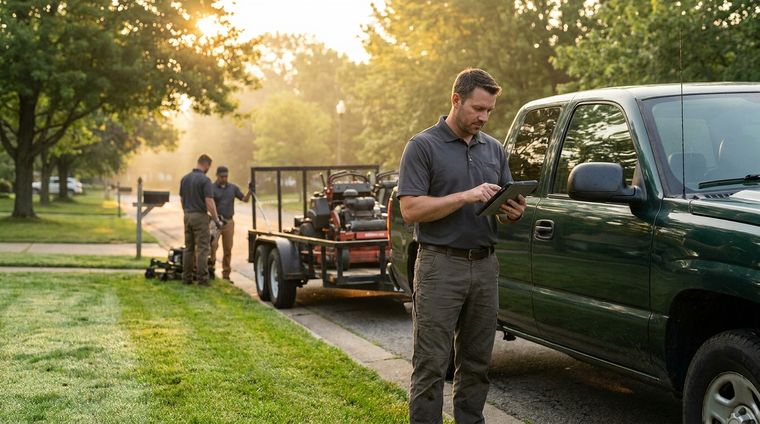
Most landscaping businesses don't lose money because they can't install a patio, grade a yard, or manage a crew. They lose money before the job starts. The leak happens in the bid.
A lead calls. You drive out. You measure fast, throw together labor plus materials, shave the number because you want the work, and hope the change orders make up the difference. Then the supplier price moves, the access is worse than expected, the client adds “just one more thing,” and the job that looked fine on paper turns into a grind.
If you want to know how to bid landscaping jobs profitably, you need more than a calculator. You need a system that filters bad leads, captures the right site data, prices overhead and risk correctly, presents the work clearly, and keeps follow-up tight enough that good prospects don't go cold.
Table of Contents
- Stop Wasting Time on Unqualified Leads
- The On-Site Assessment and Measurement Playbook
- Calculating Your True Job Costs Not Just Labor and Materials
- Choosing a Pricing Model and Setting a Winning Margin
- How to Build a Proposal That Sells Itself
- Streamline Your Bidding Process with Modern Tools
Stop Wasting Time on Unqualified Leads
Monday at 8:00 a.m., a homeowner calls about a backyard project. By 8:15, you know whether that lead is worth a site visit or whether it will eat half a day and end with, "We're still getting ideas."
That decision has more impact on profit than small tweaks to your proposal template.
A lot of contractors lose money before they ever measure a property. They chase every inquiry, book site visits too early, and build estimates for people who are outside the service area, far below budget, or only collecting numbers. Good bidding starts with lead selection. If the job is a bad fit, accurate math will not save it.
Run the first call like a filter
The first conversation should answer one question. Is this a real opportunity for your company, at your margins, on your schedule?
Ask direct questions and listen for specific answers:
- What work do you want done? Cleanup, planting, irrigation repair, drainage correction, hardscape, or a full outdoor living build all need different crews and different estimating time.
- When do you want to start? Get a date range, not "as soon as possible."
- Who is making the decision? If the person calling cannot approve the job, find out who can.
- What problem are you trying to solve? Standing water, dead turf, no privacy, unsafe slope, worn-out patio. The underlying pain point drives scope and budget.
- Do you have a budget range yet? This is not about pinning them down. It is about checking whether their expectations match the kind of work they described.
- Are you collecting ideas or ready to hire? That answer changes how much time the lead deserves.
If the caller stays vague on everything, expect trouble later with scope, approvals, and price.
I also want to know whether the lead fits the business we run, not the business we wish we ran. A beautiful project outside your crew's skill set or outside your service radius is still a bad lead.
Qualify for fit, not just interest
Interest is cheap. Fit is what matters.
A qualified lead matches your service area, crew capability, average job size, schedule, and target margin. It also has a buyer who understands the level of work being discussed. That matters even more on higher-end installs, where clients may need visuals before they can commit to real numbers. For projects like that, sharing examples of outdoor living space design concepts helps separate serious buyers from people who are only browsing.
Here are the signals I use.
Green lights
- Clear scope category: The client can explain the type of job without rambling through five unrelated ideas.
- Defined decision process: One owner, both spouses, or a property manager with authority.
- Real timeline: The requested start window fits weather, permits, material lead times, and your backlog.
- Process respect: They are willing to answer questions, send photos, and schedule a proper visit.
- Problem awareness: They know what is not working and why they want it fixed now.
Red flags
- Cheap-first language: If the first question is "What's your lowest number," margin pressure has already started.
- No usable scope: They want a quote without measurements, photos, or a clear description of the work.
- Quote shopping with no criteria: They are comparing totals, not scope, production quality, warranty, or communication.
- Rush without flexibility: Fast work can be profitable, but only if the price covers disruption, overtime, or schedule reshuffling.
- Mismatch with your model: Tiny one-off work for a design-build company, or a large custom install for a maintenance crew.
Use a pass, pause, or decline system
Do not let every lead sit in the same bucket.
Pass leads that fit your work type, service area, revenue target, and capacity. These get scheduled fast.
Pause leads that might fit but need more information. Ask for photos, address, measurements, or a better time to speak with the decision-maker.
Decline leads that are outside your lane, outside budget reality, or clearly shopping for the cheapest number.
This system does two things. It protects estimating hours, and it keeps your pipeline clean enough to track.
That second part matters. If you use a CRM, qualification notes should be part of the bidding system, not an afterthought. Store the lead source, service type, budget range, decision-maker, target start date, and why the lead was passed, paused, or declined. Over time, that tells you which referral sources close at good margins, which job types waste estimating time, and where your sales process is slowing down.
A serious bid starts before the site visit. It starts when you decide the lead deserves one.
The On-Site Assessment and Measurement Playbook
A crew shows up Monday with six pallets of pavers, a mini skid, and a two-day schedule. Then the gate measures 34 inches, the side yard is too soft for equipment, and the client points to a drainage problem nobody priced. Profit disappears before the first stone is set.
That starts at the site visit.
Good bids come from field records you can hand to production without a long explanation. If your notes are thin, the estimator fills gaps with assumptions. Assumptions turn into change orders, callbacks, and jobs that looked profitable on paper.

Measure like the job depends on it
It does.
Measure the property in units your crew will build, remove, haul, and install. A pretty walkthrough is not a takeoff. Production numbers are.
Capture these items every time:
- Square footage: Turf, planting beds, sod areas, patios, paver fields, mulch coverage.
- Linear footage: Edging, fence lines, retaining walls, trench runs, borders, curbs.
- Elevation changes: Slopes, drainage flow, low spots, step transitions.
- Counts: Trees to remove, shrubs to install, heads to replace, lights to set.
- Access constraints: Gate width, driveway limits, soft ground, stairs, street parking, staging area.
For design-build work, visual planning also sharpens scope before you price it. Clients often approve faster when they can see layout options and finish levels, especially on projects like outdoor living space design ideas and layouts.
Photograph what could become a dispute
Leave with measurements and photos.
Take pictures of existing damage, muddy areas, exposed roots, grade breaks, utility markings, narrow access, and anything the client may later assume you caused or included. Wide shots show context. Closeups document condition. Both matter.
Those photos do three jobs. They improve your takeoff, give your proposal clearer support, and protect margin when a client questions what was there before work started.
Use the site walk to define scope and exclusions
The walkthrough is where vague requests become bid language.
Walk the property with the decision-maker and get specific. What stays. What goes. What gets protected. What finish level they expect. Ask about cleanup, haul-off, irrigation tie-ins, material preferences, work-hour restrictions, and where crews can stage equipment and materials.
Complex installs need risk pricing, not guesswork. Guidance from sources like Your Aspire on how to bid these jobs notes that tricky hardscape work, compressed schedules, and unknown site conditions often justify higher margins and clearly written exclusions in project bids, especially for items like unmarked irrigation lines or unforeseen subsurface rock.
Unclear site conditions do not improve later. They show up as change orders, arguments, or lost margin.
Leave with a written field record
Before you leave, your notes should be clear enough that another estimator or production manager could price the job the same way you would.
| Field item | What to record |
|---|---|
| Scope requested | What the client wants done, in plain language |
| Conditions found | Drainage issues, slope, soil concerns, access limits |
| Risks spotted | Unknown undergrounds, demolition uncertainty, tight schedule |
| Client preferences | Materials, plant style, finish level, must-haves |
| Exclusions needed | Items you won't own unless discovered and approved |
A clean field record is what separates a professional bid from a hopeful number. If it is missing site facts, crew constraints, and risk notes, the estimate is only as good as your memory.
Calculating Your True Job Costs Not Just Labor and Materials
A bid can look fine on paper and still lose money. The crew hours seem reasonable, the materials are priced correctly, and the client likes the number. Then the job starts, trucks keep burning fuel, the foreman spends half a day solving site problems, and the office is still carrying payroll, insurance, software, and equipment costs that never made it into the estimate.
That is where profitable contractors separate themselves. They do not price a job based only on wages and materials. They price the full cost of delivering the work through their business.

Start with the break-even rate
If you do not know your break-even rate, your estimate is guesswork.
Calculate total monthly overhead first. Include insurance, office payroll, software, phones, shop expense, equipment payments or depreciation, fuel, licensing, and the cost of estimating and managing work. Then divide that number by your realistic billable hours, not the hours you wish you could bill in a perfect month. That gives you the overhead burden each production hour has to carry before you make a dollar of profit.
I use that rate on every estimate because it forces honesty. A company with high truck costs, too much non-billable supervision, or poor crew utilization cannot fix those problems by hoping the next job goes better.
Split costs into the right buckets
I price every job in three buckets so nothing gets buried.
Direct costs
These are tied directly to the work:
- Job labor by task and crew type
- Materials and delivered quantities
- Subcontractors
- Equipment rented for that specific project
- Disposal and dump fees tied to the site
Indirect costs
These support the work even if they never show up on a supplier invoice:
- Office and admin labor
- Truck and trailer payments
- Fuel not assigned to a single job
- Small tools and repairs
- Insurance, licensing, and software
- Shop rent and utilities
- Estimating, scheduling, and project management time
- Travel time between yard, supplier, and jobsite
These are the costs that erode margin. Drive time, extra hauling, small tool replacement, and foreman time spent solving preventable issues rarely look dramatic on their own. Across a season, they decide whether the company is profitable.
Profit
Profit is a line item, not a leftover. If the price only works when everything goes perfectly, the bid is too low.
Costing rule: if the business spends money to deliver the work, the job needs to carry its share of that cost.
Build the estimate in sequence
A solid estimate follows the same order every time:
- Measure quantities from your field record.
- Price materials from current supplier costs.
- Break labor into tasks such as demo, prep, grading, install, cleanup, and punch work.
- Apply labor rates that include payroll burden, not just hourly wages.
- Add overhead burden using your break-even rate.
- Add contingency for risk that is real and identifiable.
- Add profit after total cost is fully built.
That order matters. Contractors who skip straight to a sellable number usually miss disposal, handling, mobilization, supervision, or downtime. Contractors who build the job from the ground up can see where margin is strong, where risk is hiding, and whether the work fits the company at all.
A worked example without fake precision
Take a small patio and planting project. The visible costs are easy to spot: pavers, base, edging, soil, plant material, and crew wages.
The real estimate goes further. You also account for delivery coordination, saw blades, compaction time, cleanup, dump runs, supervisor check-ins, truck time, and the overhead your business carries whether that crew is installing pavers or sitting in traffic. If access is tight, staging is poor, or the site has underground uncertainty, add contingency or raise margin to match the risk.
That is the difference between a number that wins work and a number that builds a business.
The best bidding systems also make this repeatable. Store production rates, standard task lists, labor burdens, and overhead assumptions in your CRM or estimating software so your team is not rebuilding every estimate from memory. That speeds up quoting, but above all, it keeps your pricing consistent across estimators, crew leaders, and job types.
Choosing a Pricing Model and Setting a Winning Margin
A bid can be accurate and still lose money.
That usually happens after the estimate is finished. The crew hours are right. Material quantities are right. Then the job gets priced with the wrong model, the same margin used on every job, or a number copied from the last project because it feels close enough. That is where good estimates turn into weak sales decisions.
Estimating gives you cost. Pricing decides how you sell risk, scope, and value.
Match the pricing model to the work
Different job types need different pricing structures because the risk behaves differently on each one. A drainage repair with unknown excavation conditions should not be sold the same way as a repeat mowing stop on a tight route.
Here is the model I use:
| Pricing Model | Best For | Pros | Cons |
|---|---|---|---|
| Hourly | Small repairs, troubleshooting, open-ended service calls | Protects you when scope is still developing | Clients can get nervous if they do not know where the hours will end |
| Per square foot | Sod, mulch, mowing zones, simple install work | Fast to quote if your production history is reliable | Breaks down fast when access, prep, slope, or haul distance changes |
| Flat rate per visit | Recurring maintenance, seasonal service | Simple for the client, easy to schedule and renew | Margin disappears if route density slips or crews absorb extra tasks |
| Fixed project price | Patios, plantings, renovations, design-build jobs | Strong client confidence, better upside if production is tight | Highest exposure if scope, assumptions, and exclusions are not clear |
The mistake is not choosing the wrong model once. The mistake is using one model because it is familiar.
Per-unit pricing works well when the work is repeatable and your crew performance is measured. Fixed pricing works well when the scope is tight and the client wants a clean buying decision. Hourly pricing is often the honest choice on work where unknowns are real and pretending otherwise only hides risk.
Set margin by risk, not habit
Many contractors carry one markup sheet and apply it to every job. That keeps estimating simple, but it does not keep the business healthy.
Margin should change based on what can go wrong and how hard the job is to execute well.
Raise margin when the work includes:
- Tight access or difficult staging
- Demolition, removals, or disposal uncertainty
- Multiple handoffs between crews, subs, or inspections
- Compressed schedules that disrupt routing or force overtime
- Clients who are still changing scope during the quoting process
Lower-risk work can carry a lower margin if production is stable, crews know the process, and the scope is easy to control. That is how you stay competitive without guessing.
I also price around fit. A job that fills a scheduling gap in the right neighborhood may justify a different margin than a one-off project thirty minutes outside your normal service area. A quoting system tied to your sales pipeline and service zones, like a CRM built for landscapers managing bids and job flow, helps you see those trade-offs faster instead of making each pricing decision from memory.
Contingency protects the bid. Profit rewards the job.
Keep those two separate.
Contingency covers defined uncertainty inside the job. Profit is what remains after the work is executed well. If you bury contingency inside profit, you cannot tell whether the job was profitable or whether the project just got lucky.
Use contingency only when the risk is specific. Examples include possible rock in excavation, uncertain drain tie-in depth, material price movement on a delayed start, or limited site access that may add handling time. If the scope is clean and the site is straightforward, keep contingency light or leave it out. If the uncertainty is real, price it on purpose.
What works and what doesn't
What works
- Fixed pricing for well-scoped installs with clear exclusions
- Flat-rate recurring service on disciplined routes
- Hourly pricing for troubleshooting and unstable scopes
- Margin changes tied to execution risk, schedule pressure, and client fit
What doesn't
- One markup for every job type
- Unit pricing without modifiers for access, prep, or haul conditions
- Cutting margin just to stay in the conversation
- Using profit to absorb risk that should have been priced separately
A winning margin is not the highest number a client will tolerate. It is the number that fits the work, covers the risk you can see, and leaves enough profit to run the company well after the job is done.
How to Build a Proposal That Sells Itself
A bid becomes persuasive when the client can see exactly what they're buying, what's excluded, and why your company is less risky to hire than the cheaper number.
Most losing proposals fail in one of two ways. They're too thin, so the client doesn't trust what's included. Or they're cluttered, so the client can't quickly understand the offer.

The structure that closes work
A proposal should read like an operations document with sales discipline.
Include these pieces:
- Project summary: A short statement showing you understand the client's goal.
- Detailed scope of work: Deliverables, materials, sequence, assumptions.
- Exclusions: What is not included unless approved later.
- Price and payment terms: Clear schedule, deposit terms, and payment triggers.
- Timeline: Start window, duration assumptions, weather caveats where appropriate.
- Change-order terms: How additions or unknown conditions will be handled.
A detailed Scope of Work matters because it prevents arguments about what the client thought they bought. Expert guidance notes that scope creep causes 25% of landscaping projects to go over budget, so the SOW acts as both a sales tool and an operating boundary.
Use visuals because clients buy clarity
Clients don't read bids the way contractors do. They scan, compare, and look for confidence.
That's why visuals help. Site photos, annotated images, simple renderings, material callouts, and before-and-after diagrams reduce ambiguity fast. Proposals that include visual assets like site photos or renderings have a 40% higher conversion rate than text-only bids.
If you want a system that can support proposal creation and customer tracking in one place, software built for landscapers can help keep client notes, photos, and bid workflow organized.
A strong proposal answers the client's next question before they have to ask it.
Write exclusions in plain English
Don't bury exclusions in legal filler. Put them where people can see them.
Examples of good exclusions:
- Permit fees unless specifically listed
- Repair of unmarked irrigation lines
- Rock excavation beyond normal site prep
- Haul-off of materials not identified at site visit
- Plant replacements after handoff unless covered by stated warranty terms
That language protects margin and reduces post-award friction.
Follow up faster than most contractors do
A lot of bids die because nobody follows up while the client is still engaged.
Expert guidance says a follow-up within 1 to 2 days can increase bid acceptance by 20%. That doesn't mean sending “just checking in” five times. It means confirming receipt, answering scope questions, and walking the client through any options or assumptions that affect the decision.
A proposal sells itself when it's clear enough to trust, visual enough to understand, and structured enough to make saying yes easy.
Streamline Your Bidding Process with Modern Tools
A manual bid process can carry a small company for a while. Then you hit the week where six new leads come in, three estimates need revisions, and one customer calls asking which plant allowance was included in the quote. If your notes live in a truck, your photos sit in a camera roll, and your follow-ups depend on memory, bids start slipping through the cracks.
That problem is bigger than speed. It affects close rate, handoff quality, and margin control. The shops that bid well over time usually build one repeatable system for lead intake, site records, estimating inputs, proposal delivery, and follow-up.

Put the whole bid flow in one system
A good CRM helps you keep the entire job trail attached to the opportunity. That matters once more than one person touches the estimate, or when a client comes back two weeks later with questions about scope, alternates, or timing.
Useful tools for green industry contractors should keep these items together:
- Lead intake: Inquiry details, budget notes, property type, and qualification status
- Site records: Photos, measurements, marked-up notes, and known risks
- Estimate structure: Reusable templates for maintenance, installs, hardscape, drainage, and add-on work
- Follow-up control: Tasks, reminders, and status updates tied to the bid
- Job review: Estimated versus actual labor, material use, and gross margin after the work is done
That last item is where estimating actually improves. If you never compare sold work against production results, you keep repeating the same pricing mistakes.
Use automation for admin, not judgment
Templates save time. Auto-filled customer data saves time. Reminder sequences save time.
Your production rates, waste factors, crew assumptions, equipment load, and risk pricing still need a person who knows the work. I use software to speed up the paperwork and keep records clean, but I do not let software guess what a tight-access tear-out, bad soil, or uncertain drainage tie-in is worth.
If you are comparing platforms, this breakdown of Jobber alternatives for landscapers is a practical place to start. One option mentioned in this category is Landscapey, which combines lead tracking, scheduling, invoicing, and job records in one app. For smaller operators, that setup can cut down on app switching and missing information.
Video gives a quick view of what a centralized workflow can look like in practice.
The Payoff of an Organized System
An organized process lets you bid faster and keep control of the numbers.
The office can see where every lead stands. Estimators can pull old scopes, pricing notes, and photos instead of rebuilding each quote from scratch. Crews get cleaner handoff details, which reduces field confusion and change-order fights. Owners get a clearer read on which job types sell well, which clients waste estimating time, and where margin erosion keeps showing up.
That is how bidding turns into a business system instead of a stack of one-off quotes.
If you want to centralize lead intake, site notes, scheduling, proposals, invoicing, and job tracking in one place, Landscapey is built for lawn and green industry businesses and includes a public profile, routing, payments, bookkeeping, and CRM tools in a single app.