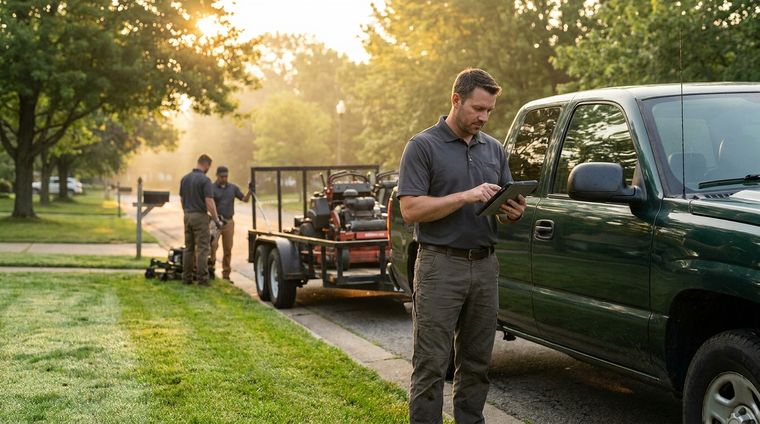
At 6:45 in the morning, the day can already be slipping. One crew is calling because a client moved the start time, another is waiting on mulch that still isn't loaded, and a maintenance route has to be reshuffled because the weather turned. The whiteboard says one thing, the paper schedule says another, and your phone won't stop ringing. That's the moment a dispatch management system stops sounding like software and starts looking like sanity.
The landscaping business doesn't run on clean theory. It runs on recurring cuts, seasonal surges, rain delays, tight neighborhoods, and crews that can't afford to crisscross town all day. When dispatch is handled by memory, sticky notes, and call-backs, the work gets done, but it gets done the hard way. A purpose-built system brings the schedule, the route, the job notes, and the customer update into one place so the field can keep moving.
Table of Contents
- The Dispatch Chaos That Grounds Landscaping Businesses
- What a Dispatch Management System Actually Does
- Why Landscaping Businesses Benefit Most From Dispatch Systems
- Core Features Every Landscaping Dispatch System Should Have
- How to Choose the Right Dispatch System for Your Landscaping Business
- Implementation Steps and Common Pitfalls to Avoid
- Real ROI and Time-Savings Scenarios for Landscaping Operators
- Frequently Asked Questions About Dispatch Systems for Landscaping
The Dispatch Chaos That Grounds Landscaping Businesses
By the time the sun is up, a lot of landscaping days have already gone sideways. The dispatcher is trying to answer a client who wants to move a mowing window, a foreman who needs a different material count for a hardscape job, and a second crew that's stuck behind a route change because of rain. Every call creates a new version of the day, and the person on the phone has to remember which version is real.
That's where paper schedules break down. They don't know that a crew finished early, that a client is waiting at the gate, or that a job needs one more laborer before lunch. They also don't tell you when a missed call was a missed lead, which is how quiet revenue leaks happen in service businesses.
Practical rule: if the dispatcher has to retype the same job details twice, the process is already too fragile.
A dispatch management system changes that by making the schedule live instead of static. The job intake, the route, the crew assignment, and the status update all sit in the same workflow, so one change doesn't force three phone calls and a fresh stack of notes. For a landscaping operation, that matters because the day doesn't move in a straight line. It moves by exceptions, and the team needs one place to catch them.
What a Dispatch Management System Actually Does
A dispatch management system acts as the control layer for field work. It coordinates job assignment, route planning, crew status, and execution in one place, which is different from a broader TMS that focuses more on freight planning, lane rates, and network management, as explained in DispatchTrack's explanation of dispatch versus TMS. For a landscaping company, that difference matters because you are not managing freight lanes. You are getting the right crew to the right property with the right notes at the right time.

The command center layer
The system sits between the phone call and the crew truck. It captures the job, places it on the calendar, assigns the crew, and pushes the details into the field without forcing someone to rewrite notes by hand. In day-to-day use, that means the dispatcher spends less time sorting through scraps of information and more time handling exceptions, such as same-day cancellations, weather delays, or a client who needs to be added to the afternoon route.
The value is control. If a mower breaks down, a property changes access instructions, or a job runs long, the office can update the schedule and keep the field working from the same version of the day. That reduces the back-and-forth that usually eats up a morning.
The difference from a generic platform
Generic field-service tools can schedule work, but they do not always match how landscaping operations run. Recurring maintenance, density-based routing, and same-day changes are the pressure points. If the software does not handle those patterns cleanly, the team builds workarounds, and workarounds are where delays pile up.
A purpose-built system does more than store jobs. It gives the office and the field one shared view of the schedule, the route, and the notes, so small changes do not turn into confusion. That matters more than a nicer calendar.
Why Landscaping Businesses Benefit Most From Dispatch Systems
Landscaping is one of the few crew-based businesses where a small routing mistake can affect the whole day. Maintenance accounts tend to be clustered by neighborhood, so one poorly built route can turn a tight morning into a string of backtracking stops. Add in seasonal spikes, storm cleanup, hardscape work, and one-off quotes, and the manual schedule starts buckling fast.
Density matters more than drama
The hidden cost in landscaping is windshield time. Every extra mile between jobs is time a crew isn't trimming, mulching, installing, or billing. If the route isn't clustered by proximity, the truck becomes the job site between job sites, and that's expensive in ways that don't always show up on the first glance at the schedule.
A good dispatch setup also protects the small stuff that turns into lost revenue. A missed call during peak season can become a missed estimate. A paper note that never made it into the calendar can become a double-booked afternoon. A same-day change that wasn't visible to the crew can become a return trip that nobody planned for.
The best dispatch improvements usually aren't flashy. They're the ones that remove one unnecessary phone call from each job.
For maintenance-heavy businesses, the biggest win is consistency. A recurring route should feel predictable to the office and the crew, even when weather or customer requests force a change. For hardscape or install work, the win is different, it's getting the right labor mix and materials lined up without the dispatcher acting like a human router all day.
That's why landscaping benefits so much from dispatch software compared with a generic tool. The work depends on proximity, recurring cadence, and real-time communication, not just putting names on a calendar.
Core Features Every Landscaping Dispatch System Should Have
A landscaping dispatch system should do more than move blocks around on a schedule. It has to support the whole day, from intake to invoice, without forcing the office to jump between disconnected tools. The feature list only matters if each function removes a real handoff that slows the crew down.
Scheduling that respects recurring work
Recurring maintenance needs a calendar that carries the pattern, not just the appointment. One-off cleanups and installs still belong in the same view, because dispatchers need to see how special jobs affect the rest of the day. If recurring work is hidden in a separate app, the team loses the ability to spot conflicts before they hit the crew.
Routing that clusters nearby stops
Route planning should be built around proximity, not just order. For landscaping, density-based routing cuts down on wasted drive time because neighboring properties can be grouped into cleaner runs. A practical system should also hand the route directly to navigation so the crew does not waste time re-entering addresses. The app's route workflow does that with density-based route planning, a one-click route release to the field, clear stop order with notes, and map handoff to driver navigation.
Job tracking and field visibility
The office needs to know what has started, what is delayed, and what is finished without playing phone tag all day. Crews need the same visibility in reverse, so they do not show up to a site without the latest job note. Simple status updates save a surprising amount of confusion, especially when the day changes after the trucks leave the yard.
Customer communication and billing
Customer updates keep the front office from turning into a call center. Automated confirmations and arrival notices reduce the “are you still coming?” interruptions that eat up the morning. Billing matters too, because a good dispatch system should close the loop cleanly instead of leaving the team to reconcile work orders, payments, and bookkeeping by hand.
If you are comparing field-service scheduling software for field teams, the main question is whether it fits the way a crew-based business runs. The stronger systems tie scheduling, routing, communication, and billing into one daily workflow instead of treating them as separate tools.

How to Choose the Right Dispatch System for Your Landscaping Business
A dispatch system makes the most sense when it fits the way your crews work. I have seen generic field-service platforms look flexible at first, then turn into a pile of settings, workarounds, and half-finished setup tasks. A CRM built for this trade should already handle recurring jobs, clustered routing, and customer-facing workflows without making the office rebuild everything from scratch.
| Criteria | Generic Platform | Purpose-Built CRM |
|---|---|---|
| Recurring maintenance | Often requires setup work or custom rules | Handles recurring routes natively |
| Route clustering | May route jobs, but not always by neighborhood density | Built to cluster nearby stops |
| Billing and bookkeeping | Usually depends on separate tools | Tied into invoices, payments, and books |
| Public profile and leads | Not always included | Includes a customer-facing presence for local search |
| Implementation | Can take a lot of configuration | Designed to get moving quickly |
The daily fit matters as much as the feature list. If you are trying to keep one eye on the route board and one eye on the crew in the field, the software should show both without forcing extra clicks. Separate scheduling, routing, and accounting tools usually create a significant drag, because every handoff is another place for a note, address, or invoice detail to fall through.
What to test before you buy
- Recurring job handling: Ask whether weekly and biweekly maintenance can live in the same workflow as one-off work.
- Route logic: Check whether the system groups nearby stops in a way that matches your territory.
- Financial closure: Confirm that invoices, card payments, and bookkeeping don't require extra manual entry.
- Speed of setup: The tool should reduce friction, not add a month of implementation pain.
- Customer-facing value: A dispatch system that only helps the office leaves money on the table.
A direct test is better than a sales demo. Put in a real service week, with actual maintenance routes, a few special jobs, and the kind of same-day changes that happen after the trucks leave the yard. See how the system handles reroutes, missed calls, and a crew that needs updated instructions while they are already on the clock.
Landscapey is one option among purpose-built tools because it combines CRM, scheduling, routing, invoicing, payments, and bookkeeping in one platform. A crew-based business does not need more software for the sake of it, it needs fewer places to enter the same job twice and fewer gaps between lead, dispatch, and paid invoice.
Implementation Steps and Common Pitfalls to Avoid
A clean implementation starts with the mess you already have. Pull the current schedule, route sheets, client records, and job notes into one place, then mark where the delays happen most often. That tells you what to fix first instead of trying to digitize every corner of the business at once.
Then set up the recurring maintenance templates and the initial route patterns. The first version doesn't need to be perfect, it needs to be usable by the office and believable to the crew. A soft launch with one truck or one crew is usually the safest way to see where the system needs adjustment before the whole operation depends on it.
Three mistakes that slow teams down
- Skipping staff input: Dispatchers and foremen know where the schedule breaks. If they aren't involved early, adoption gets harder than it should be.
- Overbuilding the setup: Digitizing every exception on day one creates friction. Start with the jobs you run every week.
- Leaving communication out: If the software only helps the back office, customers still end up calling for updates.
The implementation should also connect the field to the office in a way that feels natural. Vehicle fleet management for landscaping crews matters here because dispatch isn't just about the job list, it's about making sure the right truck, crew, and route stay aligned all day.
Keep the first rollout narrow. One clean route is more valuable than five half-configured ones.
If the crew can see the value quickly, adoption gets easier. If the dispatcher can stop re-entering data, the office gets bought in. That's the point where the system starts paying back in daily calm, not just software features.
Real ROI and Time-Savings Scenarios for Landscaping Operators
The most useful ROI math is simple enough to do on a notepad. A solo operator who stops spending hours each week on phone-tag dispatching and manual route planning gets that time back for billable work, estimates, or a real lunch break. A small company with multiple crews can use clustering to reduce wasted drive time and fit more work into the same day.
Three ways the return shows up
- Solo operator: less admin friction, more time in the field, fewer missed callbacks.
- Growing company: tighter routes, cleaner crew assignments, less fuel burn from scattered stops.
- Maintenance business: more recurring jobs kept on the calendar because reminders and schedules are handled consistently.

A dispatch system pays off when it turns wasted motion into completed work. If a crew used to spend part of the morning hunting down the day's plan, the system doesn't just save time, it makes the rest of the day more predictable. That predictability is what helps owners quote better, route better, and keep customers from slipping through cracks.
For operators looking at route planning specifically, the route layer matters because it's often the difference between a busy day and a profitable one. Route mapping for landscaping crews should make the field simpler, not more complicated, which is why route release, navigation handoff, and clear stop order matter as much as the schedule itself.
The math is different for every shop, but the pattern is the same. Less back-and-forth in the office usually means more time in the field, and more organized routes usually mean fewer wasted miles.
Frequently Asked Questions About Dispatch Systems for Landscaping
Is a dispatch system worth it for a solo operator? Yes, if you're losing too much time to calls, texts, and paper notes. Even one operator gets value when recurring jobs, routing, and customer communication live in one place instead of scattered across notebooks and voicemail.
Can it replace separate scheduling and accounting tools? A purpose-built platform can, if it covers the work you use every day. That means less duplicate entry and fewer moments spent wondering which app has the current version of a job, invoice, or payment status.
How hard is implementation? It should be straightforward if the system matches your workflow. The right setup is the one your crew can use without needing technical help every time a job changes, a stop gets added, or a customer reschedules.
If you're tired of rebuilding the day from phone calls, Landscapey gives field service companies one place to handle leads, recurring jobs, routes, invoices, payments, and books. If that's the kind of dispatch cleanup your operation needs, visit Landscapey and see how it fits the way your crew works.