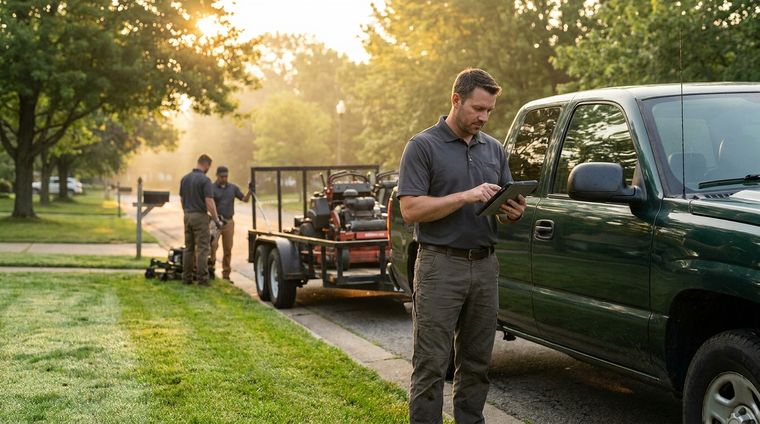
Monday starts the same way for a lot of landscaping professionals. The phone is already buzzing, the whiteboard has a pile of addresses, and somebody has to decide whether the crew goes north, south, or wastes half the morning crisscrossing town for work that should've been grouped in the first place.
That's where a route mapping app earns its keep. For landscaping, routing isn't really a map problem, it's a density problem, a sequencing problem, and a dispatch problem all at once. The tool that solves those three things well saves more than frustration, it protects the day from becoming a string of short, expensive drives between jobs.
Table of Contents
- The Monday Morning Route Problem Every Landscaper Knows
- What a Route Mapping App Actually Does
- How Solo Operators and Small Crews Use Routes Day to Day
- Calculating the ROI of Density-Based Routing
- Rolling Out a Route Mapping App Without Disrupting Jobs
- Where Landscapey Fits in the Route Mapping App Landscape
- Choosing the Right Route Mapping App for Your Crew
The Monday Morning Route Problem Every Landscaper Knows
A solo operator sits down at the kitchen table with 14 stops, three re-cuts, and one customer who swears the gate code changed last week. The addresses are all valid, but the order is wrong. One job is five minutes from home and another is physically close to it, yet the route on paper sends the truck halfway across the county before the crew ever reaches the second neighborhood.
That's the hidden tax of bad sequencing. Windshield time does not show up as a line item until the fuel bill lands, and parking loops, dead-end turns, and backtracking make the day feel longer than the job list suggests. The worst part is that a route can look fine on a whiteboard while still forcing a truck to bounce between disconnected pockets of work.
Practical rule: If two properties are on the same side of town, they should almost always be considered together before you lock in a route.
For lawn and yard work, routing cannot be treated like consumer navigation. Consumer maps are built to get one person from A to B. This work is built around repeat visits, clustered neighborhoods, recurring maintenance, and jobs that are close on the map but expensive if they are planned in the wrong order.
A good route mapping app helps you make those calls before the truck leaves the yard, then keeps the plan usable when the day changes. It acts like a morning dispatcher, not just a map, and it protects the shape of the workday instead of just plotting pins on a screen.
What a Route Mapping App Actually Does
A lot of people lump every map tool into the same bucket, but the useful ones work in three different layers. The first is planning, where the software builds the stop sequence. The second is dispatch, where that plan reaches the crew in the field. The third is navigation, where the driver follows the route in real time.
Planning, dispatch, and navigation are not the same thing
Planning is where the value starts. In multi-stop field work, route software often behaves like a geospatial decision system, using vehicle-routing-problem optimization, real-time traffic, and geocoding to decide how jobs should be ordered and clustered before anyone drives anywhere. That matters because it reduces waste, especially when a business is trying to combine recurring maintenance with day-of dispatch and last-minute changes. NextBillion's route mapping app design notes describe that planning layer clearly.
Dispatch is the handoff. A foreman or owner can look at the day, shift a stop, and send the updated plan back to the crew without rebuilding everything from scratch. Navigation is the final layer, the one the driver feels, with turn-by-turn guidance, live rerouting, and an address list that makes sense on the phone.

The best systems also handle the rendering side efficiently. High-performance routing tools typically return a route geometry polyline, ETA, and turn-by-turn steps, while tiled map data keeps mobile performance lighter at different zoom levels. That's one reason modern navigation can recalculate quickly when traffic changes, instead of forcing the driver to restart the whole plan. System-design guidance on route rendering and routing performance explains why that architecture matters.
For a lawn care crew, that stack means one thing. The app is deciding which jobs belong on the same truck, in the same half-day, in the same neighborhood. The map is the output, not the brain.
Must-Have Landscaping Routing Features
A useful routing stack should do a few specific things well, and it should do them without making the office work harder. The checklist below is the one I'd use before trusting any platform with real crews.
- Density-based clustering: Groups nearby jobs so you're not sending a truck across town for one cut.
- Automatic run ordering: Builds the stop sequence without making you drag pins around by hand.
- Google Maps integration: Lets the crew open optimized runs directly in familiar turn-by-turn navigation.
- Real-time traffic updates: Keeps the route useful when the road conditions change.
- Driver mobile app: Gives the foreman or driver the schedule, the notes, and the next stop in one place.
That list looks simple, but each item kills a very specific kind of waste. Clustering cuts the habit of building routes by customer signup order. Automatic ordering removes the nightly map puzzle. Mobile access matters because the route always changes in the field, not in the office. And traffic updates matter more than people think, especially when a delay at one property can throw off the rest of the day.
The weak point in many tools is not the mapping itself, it's the handoff. If the office has to print one plan, text another, and explain a third version at the truck, the software isn't reducing friction. It's just moving it around.
A route tool only pays off if the crew can still use it after the schedule changes at 8:17 a.m.

Recurring maintenance is the other feature that gets overlooked. If a route planner can't tie repeated visits to the same client and then place those jobs intelligently, it's missing the way landscaping businesses work. The scheduling and routing need to talk to each other, which is why a separate planning tool often creates more work than it removes. This scheduling overview is useful if you want to see how route planning and calendar management should fit together. Landscapey's route optimization software shows how that connection can be handled in a way that supports the day instead of fighting it.
How Solo Operators and Small Crews Use Routes Day to Day
A solo operator uses routing differently from a three-truck company, but the core habit is the same. The week gets shaped before the trucks move. The difference is how much flexibility the day needs after it starts.
The solo route is about preserving momentum
A one-person crew usually plans Sunday night, not because it's fashionable, but because Monday morning is too expensive for improvisation. The route mapping app clusters properties by ZIP code or by close neighborhoods, then turns a scattered list into one loop that can run from early week to late week without a lot of backtracking. If weather changes, the plan gets adjusted by moving one or two stops instead of rebuilding the whole week.
That setup works best for recurring maintenance. Weekly and biweekly properties behave more like a rhythm than a one-off project, so the routing math rewards consistency. A solo operator isn't trying to impress anybody with a clever route. The goal is to keep the truck moving in a clean loop and get home at a sane hour.
The small crew route is about coordination
A small company uses the same app, but the pressure shifts to dispatch. One truck can take the northern cluster, another can take the southern cluster, and the trailer can stay with whichever crew needs the heaviest tools that day. If one job runs long, the dispatcher can move the next stop to a different vehicle instead of making everyone wait.
That's where live visibility matters. The office can watch the route as it unfolds, then re-sequence a few properties when a gate is locked, a customer is late, or a service window gets tight. The route is no longer a static list. It becomes a live operational plan.
The biggest difference between the two workflows is cadence. A solo operator can tolerate a little hand editing. A multi-vehicle crew can't. Once multiple trucks are moving, the route has to support dispatch discipline, not just a nice-looking map.
Calculating the ROI of Density-Based Routing
The ROI case gets made badly most of the time. Vendors like big promises. Owners need something simpler, a clear way to judge what a better route does to fuel, labor, and the number of billable stops a day.
The biggest return is billable crew time
Fuel matters, but time matters more. A route that cuts backtracking gives the crew more working minutes at actual properties, and that can mean one more mow, one more clean-up, or one more maintenance stop before the day ends. For owners, that is the point where routing stops being a convenience and starts affecting margin.
Dense routes also make the week easier to repeat. That reduces the drift into habits like, “we always do this one first because that's how we've always done it.” That habit is expensive.
Practical rule: If a stop order cannot be explained by geography, service window, or priority, it is probably costing you money.
A tight route also helps the office make better decisions when schedules change. If the day runs long or a property slips, a clustered plan gives you room to shift work without blowing up the whole sequence. That matters more than a fancy map view.
Start with the miles you stop wasting
If a truck stops driving unnecessary miles every day, that waste turns into fuel and labor savings whether the spreadsheet captures it or not. Cut a route by even a modest amount of deadhead travel, and the gains show up across the week because the truck spends more time at properties and less time between them.
You do not need a perfect model to see the value. Compare the miles you regularly burn on unproductive driving with a tighter route that keeps stops grouped by neighborhood or service area. The more your jobs sit in the same part of town, the more a density-first plan beats a customer-signup-order plan.
For a closer look at how route planning and sequence design affect daily operations, the overview at route optimization software for landscaping teams is a useful companion. The main point stays simple. A route mapping app should help the business do more work in less drive time, not just make the route look better on a screen.
Rolling Out a Route Mapping App Without Disrupting Jobs
The fastest way to lose crew trust is to throw a new routing tool at them and insist the old way is wrong. Most adoption failures happen because the rollout ignores the route book people already trust. If the first week feels chaotic, nobody will believe the app is helping.
Clean the data before you ask the crew to believe it
Start with address hygiene. Fix misspellings, unit numbers, gate codes, duplicate client records, and any jobs that were entered with vague descriptions instead of real locations. If the app is feeding bad addresses into a clean route, the route will still fail.
Then run the new planner in parallel with the old method for a week. That gives you a direct comparison on the same jobs, and it shows the crew where the new order saves time. Don't try to win the whole year on day one. Win Tuesday first.
Expect the awkward field details
Week two usually surfaces the stuff the office forgot. Apartment complexes have locked gates. Some properties need a specific note in the job record because the crew can't see the backyard entrance from the street. GPS permissions get denied on someone's phone because they tapped the wrong prompt.
A good rollout checklist looks like this:
- Audit the route book and remove bad addresses before import.
- Test one full week in parallel so the team can compare route logic.
- Watch for the first crew complaint and verify whether it's a data problem or a routing problem.
- Write the exceptions down. Gate codes, access notes, and timing rules belong in the workflow, not in memory.
- Go live only after the team trusts the order on at least one familiar route.
The human side matters just as much as the software. Drivers resist a tool that reorders their usual drive without explanation. They usually accept the new system once it gives them one shorter loop and fewer awkward turns. That's the proof.
Where Landscapey Fits in the Route Mapping App Landscape
A route mapping app only helps if it matches how the work moves through the day. For a lawn care business, that usually means one system that keeps client tracking, job scheduling, invoicing, and routing tied to the same job record. Landscapey fits that narrower workflow well. It is built for crews that need routing to connect with recurring service, payment history, and dispatch without bouncing between separate tools.
The routing fit is specific to lawn routes
The main strength is the way routing follows clustered stops and optimized runs in Google Maps, which matches how a lawn route is usually built. Jobs can be grouped by neighborhood instead of treated as isolated waypoints, and the crew can open the day's run in a map they already know instead of retyping addresses into another app.
That matters most on routes built around density. If three properties sit close together, the software should help you stack them into one clean loop before you worry about anything else. That is where a route mapping app saves real time, because the drive order changes less than the job list.
Recurring maintenance is part of the fit too. Weekly service, seasonal work, and repeat visits are easier to manage when auto-scheduling and route planning stay connected. Without that connection, the office ends up building one plan for the calendar and a separate plan for the truck, and those two rarely stay aligned for long.
The mobile handoff is useful when the owner needs to reassign work from the field. Routes shift during the day, especially in small operations where one missed stop or one delayed crew member changes everything. A system that lets the office and the truck update the same schedule gives the crew a cleaner handoff and fewer calls to sort out the order.
A lawn care system works best when the route, the client, and the invoice all point to the same record.
If you want a closer look at how that workflow is presented, Landscapey's main site shows the routing, scheduling, and operations side together. The practical takeaway is simple. It fits crews that want one system for routing and service records, not a generic mapping tool that treats the job list and the business record as separate problems.
Choosing the Right Route Mapping App for Your Crew
The best choice depends on the shape of your business, not the prettiness of the map. A solo operator needs fast planning, low friction, and a route that doesn't break when one stop shifts. A small crew needs dispatch control, mobile updates, and a clean handoff between office and truck.
Use the crew size and job mix as your filter
Generic multi-stop planners can work for simple point-to-point days, but they often fall short once recurring maintenance, crew capacity, and stop clustering start to matter. Last-mile delivery tools are even less useful for lawn care professionals because they're built around parcel flow, not service timing and site access.
A landscaping-specific stack is usually the better fit when the route needs to connect to scheduling and invoicing instead of sitting in a silo. That integration matters because the route is part of the business record, not just the driving record.
Pick the tool that helps you run a real Tuesday
Three rules usually keep the decision honest:
- Match the tool to your operation size. Don't buy dispatch complexity you won't use.
- Prefer density-based routing. If the app can't cluster nearby jobs, it's missing the main efficiency lever.
- Choose connected workflows. Routing should tie into scheduling and invoicing so the same job data powers the whole day.
The fastest test is a real week of jobs you already know by heart. Put one familiar Tuesday into the app and see whether the route looks tighter, clearer, and easier to execute than the one you'd normally build by hand. If it doesn't, keep looking.
If you want routing, scheduling, and client management in one place instead of spread across disconnected tools, take a look at Landscapey. It's built for landscapers who need clustered routes, recurring job planning, and cleaner dispatch without turning the week into spreadsheet surgery.