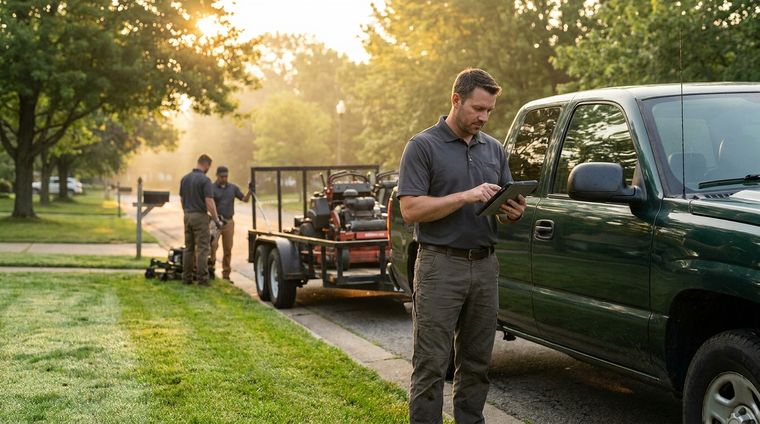
Your truck is idling, your voicemail is full, and the week's schedule still has open slots. You know the work is there, but the lead flow is scattered across missed calls, random DMs, marketplace pings, and the occasional referral that shows up too late to matter. The fix is not “more hustle,” it's using the right apps to get lawn care customers so the people who need mowing, cleanups, or ongoing maintenance can find you, request a quote, and move into your pipeline without friction.
The best way to think about these tools is by function. Some are built for lead generation, some are marketplaces that hand you jobs, and some are operations apps that help you convert leads into repeat work once they land. If you stack them right, you don't just get more inquiries, you build a system that turns local demand into booked routes, recurring accounts, and cleaner cash flow.
Table of Contents
- 1. Landscapey
- 2. Google Local Services Ads
- 3. Thumbtack for Pros
- 3. Thumbtack for Pros
- 5. Yelp for Business Ads
- 5. Yelp for Business Ads
- 7. Meta Ads
- 8. GreenPal
- 8. GreenPal
- 9. LawnStarter for Pros
- 10. LawnGuru for Providers
- Top 10 Lawn Care Customer-Acquisition Apps Comparison
- Build Your App Stack and Grow Your Business
1. Landscapey
Many apps in this category solve one piece of the job. Landscapey is built to handle the full customer path, from the first local search through the final invoice, inside one system. That matters because the primary bottleneck for many lawn care companies is not merely getting inquiries, it is capturing them cleanly, following up fast, and keeping the work recurring.
The strongest part of Landscapey is that it ties customer acquisition to daily operations instead of treating marketing as a separate chore. A public profile is created at signup and organized around your services and ZIP codes, so local searches can turn into quote requests that flow into the Leads inbox. That matches the broader move in the category toward apps that combine pricing, lead management, and KPI tracking in one workflow, rather than forcing you to stitch together separate tools for each step as described in the LawnEstimator listing.
For a working lawn company, that integration changes how the day runs. Leads, quotes, scheduling, and invoices live close to each other, so you spend less time copying information from one app to another and less time losing requests in the gaps between systems. The trade-off is that an all-in-one setup only works if you are willing to run more of your process inside one platform, which can feel restrictive if your team already relies on a separate dispatcher, estimator, or accounting tool.
Why it fits a working lawn company
If you run recurring maintenance, the scheduler and routing tools matter just as much as the lead capture. Routing based on nearby jobs helps cluster stops into cleaner runs in Google Maps, which cuts windshield time and makes the route more practical for crews that move from property to property all day. That is especially useful if your route density changes week to week and you need a system that can adjust without a lot of manual rebuilding.
Landscapey also makes more sense if your acquisition plan depends on local visibility. A strong local profile only helps if nearby homeowners can find it, understand the services you offer, and request a quote without extra back-and-forth. For a closer look at how that part of the funnel works, see this guide to local SEO for lawn care companies.
Where it fits best is straightforward. Solo operators, small crews, and maintenance-focused businesses get the most value when they want one place to handle the lead, the estimate, the schedule, and the follow-up. If your business already has strong internal systems, the benefit is less about replacing everything and more about reducing friction between customer acquisition and day-to-day operations.
2. Google Local Services Ads

Google Local Services Ads work well for a homeowner who already wants help and is searching by service and location. That is a strong fit for lawn care, because these ads sit close to the bottom of the funnel, where a nearby prospect is far more likely to request a quote than someone casually browsing social feeds.
The model appeals to service businesses because you pay for valid leads instead of broad reach. You also get prominent placement above the regular search results, and in many cases a trust signal through the Google Guaranteed badge where it applies. For a lawn care company, that mix matters because it shortens the path from search intent to a phone call or form fill.
The drawback is that the channel changes often. Google keeps shifting LSA toward its broader Google Ads system, so policy updates and interface changes need regular attention. That only becomes a problem if you treat it like a passive channel. If you review lead quality, budgets, and disputes on a routine basis, it can stay one of the stronger acquisition sources for local service work.
A local visibility foundation makes LSAs work harder. Your ad may bring the click, but your organic presence still needs to look credible when a homeowner checks who you are, what you do, and whether you serve their area. For a closer look at that side of the funnel, see this guide to local SEO for lawn care companies.
The trade-off is straightforward. Google Local Services Ads are strongest when you want high-intent leads and you have the process to answer them quickly, qualify them cleanly, and follow up before they cool off. If your business already has a solid operations stack, LSAs can feed it well. If your follow-up is slow or inconsistent, the lead cost is harder to justify.
3. Thumbtack for Pros
Thumbtack for Pros fits a different buying pattern than search ads. Homeowners come to the marketplace with a project in mind, then local pros respond with quotes, messages, and profiles. For lawn care companies, that can cover mowing, cleanups, aeration, trimming, and broader outdoor work, so it suits businesses that want more than one type of job in the pipeline.
The trade-off is control. You get access to active shoppers and a place to show reviews, photos, and service details, but you are competing in a shared-lead environment where speed matters. If you reply late, another pro usually gets the first conversation. If your profile is weak, the quote has less weight no matter how good your price is.

Where Thumbtack fits in a lawn care stack
Thumbtack works best as a selective marketplace channel, not a volume engine you ignore until the end of the day. Set the service area tightly, focus on the job types that match your calendar, and be honest about what fills routes profitably. A recurring maintenance company can screen for ongoing prospects, while a crew that prefers larger outdoor projects can skip tiny one-time jobs that create more admin than revenue.
Your response process decides most of the outcome. A fast quote, a clear message, and a complete profile usually matter more than a flashy pitch. That is also why Thumbtack pairs better with a real follow-up system than with a loose inbox. If your CRM, calendar, and quoting workflow are organized, the marketplace becomes a useful intake source. If they are not, you spend time chasing leads that never turn into scheduled work.
Thumbtack is one piece of a broader acquisition plan. Search ads bring in active intent, marketplaces add another stream of shoppers, and your operations stack turns those inquiries into booked jobs instead of scattered conversations.
3. Thumbtack for Pros

Thumbtack works differently from search ads. Instead of waiting for a homeowner to find your website, you're inside a marketplace where people request help and local pros can respond directly. For lawn care, that can mean mowing, cleanups, and broader outdoor services, which makes it a flexible channel for companies that don't want to be boxed into one type of job.
The upside is breadth. Thumbtack has wide consumer reach, and the Pro app gives you controls for budget caps, max lead price settings, messaging, reviews, and portfolio display. That combination helps if you're trying to stay selective about which jobs you chase. The downside is equally clear. Shared-lead dynamics mean speed wins, and if you're slow to reply, you're giving competitors a head start.
How to use it without burning budget
Thumbtack is best when you treat it like a selective lead source, not a fire hose. Set your service area tightly. Filter for the jobs you want. If you take maintenance work, look for recurring-friendly prospects. If you do larger outdoor projects, avoid wasting money on tiny one-off jobs that don't fit your calendar.
The platform's value depends on your response process more than the listing itself. If the quote arrives late, your odds drop. If your profile looks thin, the homeowner moves on. If your photo gallery shows real work and your messaging is fast, you have a better chance of turning marketplace demand into booked work.
What usually works best:
- Tight lead filters so you don't pay for jobs outside your ideal profile.
- Fast in-app replies because shared leads move quickly.
- A strong photo portfolio to build trust before the first call.
- Budget controls to keep the channel from drifting into wasted spend.
What doesn't work:
- Loose targeting, which fills your inbox with bad-fit requests.
- Slow quoting, which turns shared leads into lost opportunities.
- Treating every lead equally, because some jobs are margin killers from the start.
Thumbtack is not the cheapest path to growth, but it can be a good bridge between demand generation and direct sales if you're disciplined about lead selection.
5. Yelp for Business Ads
Yelp sits in a useful middle ground for lawn care companies. Paid visibility and reputation live in the same place, which matters when a homeowner is comparing nearby providers and wants proof that the crew is reliable before anyone steps onto the property. Yelp Ads can put your business in sponsored placements for lawn services in your area, and those ads draw strength from the reviews already attached to your profile.
That combination is the appeal. You are not sending clicks to a cold landing page and hoping trust appears later. You are sending people to a profile that can show ratings, photos, service details, and review history right away. If your profile is kept current, that shortens the trust-building process and gives the ad more to work with.
The limit is just as clear. A click is not a lead. Someone can tap the ad, scan the page, and leave without calling, messaging, or asking for a quote. Results depend on both the ad settings and the profile itself. If either piece is weak, the channel loses efficiency quickly.
Do not pay for traffic into a weak profile
A common mistake is to turn on Yelp ads and leave the profile untouched. That wastes money. Poor photos, unanswered reviews, or thin service descriptions lower the value of every click you buy.
The better approach is to treat Yelp as a reputation-and-ad channel. Before spending heavily, tighten the profile and make sure the review side is working in your favor. If you need a practical framework for that part of the job, the platform's customer review management guide is a useful place to start.
What usually helps:
- Real project photos that show the quality of your work.
- Fast responses to reviews so the profile looks active and cared for.
- Clear service descriptions that match what the ad is promoting.
- Tight tracking of calls and messages so you can see whether the spend is producing real opportunities.
What usually hurts:
- Buying clicks before the profile is ready, which turns traffic into waste.
- Ignoring negative reviews, which makes the business look unresponsive.
- Using broad targeting without a follow-up plan, which brings in browsers instead of buyers.
Yelp can play a useful role in the stack if you already have enough reviews and photos to support the ad spend. It works best as a trust channel layered on top of other lead sources, not as a standalone fix for weak local demand.
5. Yelp for Business Ads

Yelp is one of the few platforms where paid visibility sits right next to reputation. For lawn care, that matters because homeowners are rarely just comparing prices. They are judging whether a crew looks credible enough to send onto their property. Yelp Ads can place your business in sponsored spots when nearby users search for lawn services, and the ad benefits from the reviews already attached to your profile.
That combination is the main reason contractors use the channel. You are not pushing traffic to a cold page. You are sending it to a profile that can show ratings, photos, and business details right away. If your page is maintained well, that shortens the trust-building step and gives the click a better chance of turning into a real inquiry.
The trade-off is simple. A click is not a lead. Someone can tap the ad, skim the profile, and leave without calling, messaging, or requesting a quote. Yelp works only when the ad setup and the profile quality support each other. If one side is weak, the channel loses efficiency quickly.
Make the profile do its job before you buy traffic
Many contractors waste money by turning on Yelp Ads and leaving the profile untouched. That wastes the visit. Poor photos, unanswered reviews, or thin service descriptions lower the value of every click you buy.
Treat Yelp as a reputation-and-advertising channel. Keep the profile current, encourage real reviews, and make sure the page answers the same questions your ad is trying to start. If your review process needs work, start there first. A practical customer review management guide can help you tighten that side of the business before you spend more on visibility.
Use Yelp Ads when the profile already looks strong and supports trust. Use it when you want paid exposure tied to social proof, especially if you already have enough photos and reviews to back up the offer. Use it when you can watch calls and messages closely enough to tell whether the spend is producing actual opportunities.
Be cautious when your response process is slow, because ad clicks cool off fast. Be cautious when the profile is underbuilt, because ads cannot make up for weak proof. Be cautious when you expect every click to become a lead, because that is not how the channel behaves in practice.
Yelp can support a broader acquisition stack, but it usually works best after the basics are in place. For contractors building that system, it sits alongside the other channels described in marketing for landscapers, where reputation, routing, and follow-up all have to work together.
7. Meta Ads

A crew has a full calendar in one part of town and wants to add work in the next subdivision over. That is the kind of situation where Meta Ads can earn its keep. Facebook and Instagram still put your offer in front of homeowners who are already scrolling in your service area, and you can target by radius, interests, and behavior. For lawn care professionals, that makes Meta useful for creating demand with before-and-after photos, seasonal offers, and local lead forms rather than waiting only on search intent.
The channel works in several ways. Lead Ads capture contact details inside the platform, click-to-message campaigns start a conversation fast, call CTAs help convert urgent interest, and retargeting brings back people who visited your site or watched your videos. That mix gives you more ways to move attention toward an estimate than a single search query ever will. The trade-off is lead quality. If the form is too loose, or the follow-up process is slow, you end up with a pile of weak contacts that never turn into booked work.
Fast response decides the outcome
This is not a channel for delayed callbacks. A homeowner who fills out a form and hears nothing for a while cools off quickly, and the lead gets harder to recover. Fast follow-up is what turns Meta traffic into scheduled estimates. Without that, you are paying for contact cards instead of real opportunities.
Creative matters here more than many contractors expect. Clean truck shots, crew action, and before-and-after photos usually outperform polished branding that says very little. If the offer is easy to understand, Meta can feed the top of your funnel with local leads at a manageable cost, but the channel still needs discipline in setup and response. The operational side matters just as much as the ad itself, which is why the broader marketing for landscapers playbook has to connect ads, intake, and follow-up into one system.
A few realities show up quickly in practice:
- Lead Ads are efficient for volume, but they need tight qualification.
- Click-to-message campaigns work when someone is ready to talk now.
- Retargeting helps recover visitors who were interested but not ready to book.
- Local creative usually beats generic brand material.
Meta Ads fit best as part of a wider acquisition stack. They are useful for filling the top of the funnel, especially when you already have a process for answering leads, quoting jobs, and keeping the calendar full.
8. GreenPal
GreenPal is a recognizable lawn-mowing marketplace, and it works as a demand layer for contractors who want nearby jobs without building every lead source from scratch. A homeowner posts the work, providers can bid or claim it, and payment happens in the app after the job is completed and documented. That setup makes it useful for filling schedule gaps and keeping crews productive.
The value becomes apparent in route planning. Jobs are usually judged by lot size and aerial or street-view imagery, so you can estimate before you drive across town. That saves wasted travel time and helps you decide whether a request fits your current route, your crew capacity, or your target margin.
The trade-off is competition. Marketplace bidding can push pricing down, especially if you chase every request that comes through. GreenPal works better when you are selective and use it to build density around existing routes, not when you try to win every low-price quote.
Good for filling the day, not running the whole business
I like GreenPal for operators who have open capacity and want nearby work they can stack into a productive route. It fits well when you need to keep crews busy between larger jobs or during lighter stretches of the week. It fits less well if your goal is a premium brand built on highly qualified inbound leads and longer sales conversations.
That difference matters in daily operations. Marketplace work is built for speed and convenience, so the buyer is often comparing options quickly and looking for fast scheduling. Strong relationship selling, detailed scope discussions, and upsell conversations usually happen more naturally in other channels.
The vendor side is straightforward once you understand that trade-off. You need fast responses, clear pricing rules, and a process for deciding which jobs fit your route and which ones you should leave alone. If you use it with discipline, GreenPal can help smooth out your calendar without taking over your whole sales process.
8. GreenPal

GreenPal is one of the more familiar lawn-mowing marketplaces, and it works as a demand layer for contractors who want nearby jobs without building every lead channel from the ground up. A homeowner posts the work, providers can bid or claim it, and payment happens in the app after the job is finished and documented. For crews that need to keep the schedule from going thin, that setup can be useful.
The platform matters most when route efficiency is part of your margin plan. Job details are priced with lot size and aerial or street-view imagery in mind, so you can estimate before you drive across town. That gives you a cleaner way to judge whether a request fits your current route, your crew's capacity, or your target margin.
Competition is the trade-off. Marketplace bidding can pressure margins, especially if you try to chase every request that comes in. GreenPal performs better when you use it to build density around existing routes and pass on jobs that do not fit your numbers.
Good for filling the day, not running the whole business
GreenPal makes sense for operators with open capacity who want nearby work they can stack around existing routes. It is a weaker fit for companies trying to build a premium brand around highly qualified inbound leads and longer sales conversations. The marketplace is built for speed and convenience, so buyers often compare options quickly and expect fast responses.
That speed has operational consequences. If you use GreenPal well, you need a fast quoting habit, clear pricing rules, and a simple filter for deciding which jobs belong on the calendar. If you do not put those guardrails in place, the platform can turn into a stream of small jobs that look busy but do not support your margin.
The vendor side is still simple enough for smaller operators to adopt without much setup. That low barrier to entry is part of the appeal, especially if you want route density without launching a full ad system. Used carefully, it can smooth out the week and keep crews productive without taking over your entire sales process.
9. LawnStarter for Pros

A crew gets a route gap on a Tuesday morning, checks LawnStarter, and fills the opening with work that is already inside the platform's billing and messaging flow. That is the main reason LawnStarter for Pros is different from a pure lead marketplace. It is built to help providers manage the job after the customer is assigned, not just hand off a contact name.
The Pro app supports scheduling, messaging, automatic customer billing, and in-app customer management. For operators who want recurring mowing routes with less manual admin, that mix can save real time. The trade-off is control. Once you work inside a platform-managed process, you accept its rules for communication, service quality, and how jobs move through the system.
The ratings system and Done Right Guarantee shape how work gets allocated, so the crew's execution matters. Clean routing, on-time service, and quick communication carry weight here. If your process is inconsistent, the platform can limit the flow you see. If your service is steady, it can keep the calendar moving without forcing you to build every part of the workflow yourself.
Where it helps most
LawnStarter fits operators who want steady work in metros where the platform already has traction. It also fits businesses that can handle recurring route work instead of chasing only one-off jobs. Because the app includes scheduling and billing tools, it gives you part of the operational layer along with the lead flow.
That operational layer is the advantage. It reduces the number of separate tools you need to juggle, which matters when you are trying to keep crews busy and office work under control. The downside is that platform and customer fees can affect pricing, and cancellation rules can change what you ultimately keep from a job. You need to understand those rules before you let the app become a major source of revenue.
A practical way to use it is to treat it as route fuel, keep a close eye on service consistency, and use the messaging tools well. The route fuel approach works because LawnStarter is most valuable when it helps fill a calendar you are already managing. Service consistency matters because ratings affect future work. Messaging matters because fast, clear replies can be the difference between keeping a customer and losing the next assignment.
The strongest reason to use LawnStarter is simple. It can help you build route density while keeping more of the workflow inside one app. The strongest reason to stay cautious is just as clear. If you do not want platform-controlled pricing and service rules, you will feel boxed in quickly.
10. LawnGuru for Providers
LawnGuru is built for providers who want real-time jobs, recurring work, and a tighter payment workflow. The platform lets you claim nearby jobs, verifies payment while you're en route, and uses photo receipts to finalize payout. That makes it appealing for operators who want a more controlled transaction process.
The safeguard side is what stands out most. Payment authorization and photo-based completion documentation reduce the chance that you do work and then chase money later. For small operators, that alone can justify giving the platform a look.
Best for dense, efficient route filling
LawnGuru is strongest when you're already out in the field and want to stack nearby jobs. The free provider microsite also gives you a lightweight public presence, which can help with discovery. The app is less about broad brand building and more about operational efficiency plus reliable payout handling.
The trade-offs are real. Release fees and policy enforcement can apply, and provider experience varies by market. That means you should test it in your area before you depend on it. If the local job flow is active and the rules fit your style, it can become a useful lane filler.
A few practical strengths stand out:
- Claim jobs in real time, which helps fill schedule gaps.
- Payment is verified en route, reducing unpaid work risk.
- Photo-based completion, which creates a simple audit trail.
- Free provider microsite, which adds a basic public presence.
The main thing to remember is that this is a provider-first marketplace, not a pure marketing app. It can help you get customers and streamline fulfillment, but it's most valuable when paired with your own direct lead engine.
Top 10 Lawn Care Customer-Acquisition Apps Comparison
| Product | Primary model / Core offering | Best for (target audience) | Key benefits / USP | Cost / Pricing model |
|---|---|---|---|---|
| Landscapey | All‑in‑one CRM + scheduling + route optimization + invoicing + bookkeeping; auto public profile for local SEO | Solo landscapers, small crews, office managers, new startups | Auto SEO profile that feeds Leads; density‑based routing (↓drive time); 0% platform fees on payments; live books & QuickBooks export | Simple single plan; launch $19.99/mo (promo) with 14‑day trial; cancel anytime |
| Google Local Services Ads (LSA) | Pay‑per‑lead search ads with Google Guaranteed placement | Businesses capturing high‑intent “near me” searchers | Top search placement; strong trust signal; pay only for valid leads | Pay per valid lead; costs vary by market (can be high) |
| Thumbtack (for Pros) | Lead marketplace, pay when customers contact you; instant match | Pros wanting broad consumer reach and flexible budgets | Large audience; budget caps & lead controls; mobile lead management | Pay‑per‑lead (pricing varies); competitive shared‑lead environment |
| Angi Leads (formerly HomeAdvisor) | Large lead marketplace with pay‑per‑lead or membership/ad options | Higher‑ticket landscaping/hardscaping in dense metros | High traffic and brand recognition; multiple charging models | Per‑lead or contracted membership options; ROI varies by market |
| Yelp for Business Ads | CPC ads on review platform tied to your Yelp profile | Reputation‑driven businesses that leverage reviews | Combines paid visibility with review/social proof; analytics | CPC pricing; cost fluctuates with seasonality and competition |
| Nextdoor Ads (for Local Businesses) | Hyperlocal ads and business pages in neighborhood feeds | Neighborhood‑focused services building local routes | High local trust; fine geographic targeting; business pages | Self‑serve ad spend; pay‑to‑play for meaningful reach; varies by neighborhood |
| Meta Ads (Facebook & Instagram) | Paid social lead ads (Instant Forms, messaging, retargeting) | Businesses seeking scalable local reach beyond search | Often lower CPL when optimized; strong retargeting & creative testing | CPC/CPL model; costs fluctuate widely (lead quality varies) |
| GreenPal | Marketplace for mowing/jobs; pros claim or bid on nearby work | Providers filling schedule gaps and densifying routes | No upfront subscription; proximity‑aware pricing & routing efficiency | Bid/fee model per job; competitive bidding can compress margins |
| LawnStarter (for Pros) | National vetted marketplace with Pro app for scheduling/billing | Pros seeking recurring mowing routes and vetted leads | In‑app scheduling & billing; “Done Right Guarantee” influences bookings | Platform/customer fees apply; free sign‑up for Pros but fees affect pricing |
| LawnGuru (for Providers) | On‑demand + recurring marketplace with claimable jobs | Providers wanting instant jobs and route densification | Payment authorization en route; photo receipts; quick recurring opportunities | Release fees and market‑dependent provider fees; policy enforcement varies |
Build Your App Stack and Grow Your Business
Getting more lawn care customers isn't about being on every app. It's about using the right mix for your current bottleneck. If you need immediate jobs, start with a marketplace like GreenPal, LawnStarter, or LawnGuru. If you want high-intent leads from people already searching, test Google Local Services Ads. If you want neighborhood visibility and reputation support, layer in Yelp, Nextdoor, or Meta Ads.
The mistake most operators make is treating lead generation and operations as separate problems. They buy leads in one place, quote them in another, schedule them manually, invoice somewhere else, and then wonder why the pipeline feels messy. That's where an all-in-one platform like Landscapey changes the math. It gives you a public profile for local discovery, a CRM for lead follow-up, route planning for better efficiency, invoicing and payments for faster cash flow, and bookkeeping so the whole business stays readable.
A good stack usually starts small. Pick one lead source and one operating system, then learn them well enough that nothing falls through the cracks. If your leads are coming from Google or a marketplace but your follow-up is slow, the app won't save you. If your routes are messy and your billing is slow, growth will feel harder than it should.
The strongest businesses do three things at once. They capture demand, they convert it cleanly, and they keep the customer long enough for recurring work and referrals to compound. That's the edge in lawn care, not just being visible, but being organized enough to turn visibility into booked routes and repeat revenue.
If you want one app that ties lead capture, routing, invoicing, payments, and bookkeeping together, take a serious look at Landscapey. It's built for lawn and garden businesses that want more local customers without stitching together five different tools. Visit the site, see how the public profile and CRM work, and decide whether it's the right base for your growth system.