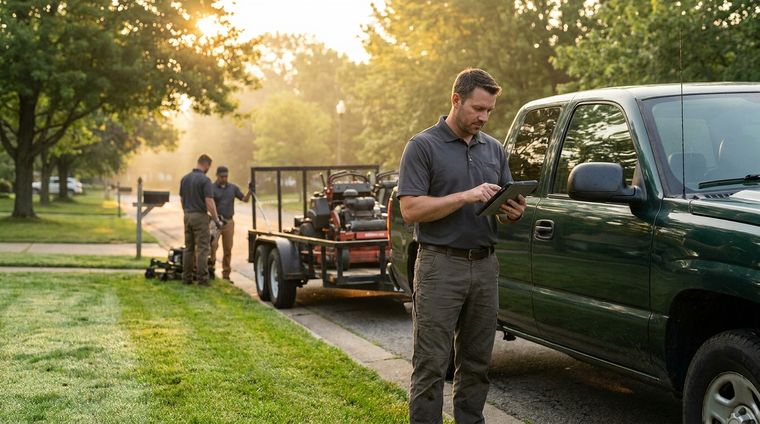
You know the day. The crew is already out, a homeowner is calling about a skipped bed, your phone is buzzing with another estimate request, and the whiteboard in the office still has Tuesday's jobs crossed out three different ways. Someone swears the mulch delivery is on site. Someone else can't find the signed quote. By lunch, you're chasing the schedule instead of running the business.
That's the primary problem jobs management software solves for landscaping and lawn care. It replaces the scramble with one shared job record, one schedule, and one source of truth for the office and the field. That shift is no longer niche. The global workforce management software market reached USD 11.3 billion in 2023, and cloud-based deployment accounted for 68.7% of the market in 2022, which shows how quickly businesses have moved from disconnected methods to centralized, cloud-first operations (market report on workforce management software).
If you're still running your landscaping company on spreadsheets, paper tickets, and memory, you're already paying for it in missed details, slow billing, and avoidable back-and-forth. The fix is not more discipline. The fix is a system built to hold the work together. For a practical example of how crews and office teams can track work in one place, see this work order tracking guide.
Table of Contents
- The End of Whiteboard and Spreadsheet Chaos
- What Is Jobs Management Software Really
- Must-Have Features for Landscaping Businesses
- Measuring the True ROI of Moving Away from Manual Methods
- A Buyer's Checklist and Implementation Roadmap
- Common Pitfalls When Adopting New Software
- Your Next Step Toward a More Profitable Business
The End of Whiteboard and Spreadsheet Chaos
By mid-morning, the office is already behind. A crew texts that they finished early and need a new stop. A customer wants a reschedule. The paper quote from last week is still on someone's desk, and the whiteboard schedule no longer matches what the crews are doing on the road.
That old setup breaks fast in a lawn care business because the work changes all day. You are not managing one fixed project. You are juggling recurring maintenance, one-off cleanups, add-on work, weather delays, and customer calls that arrive while everyone is driving.
Jobs management software changes the operating model. It pulls the work out of scattered notes and into one cloud system where dispatch, crews, billing, and customer communication all see the same job record. The point is to keep field work, office follow-up, and invoicing tied to the same source of truth instead of forcing the office to rebuild the day from memory. The practical payoff is fewer windshield miles, fewer missed details, and faster payments because the handoff from completed job to invoice is no longer stuck in a paper pile. For a closer look at how work orders should be tracked inside that flow, see track work orders in a lawn care business.
If the office and the field are working from different versions of the truth, you are not running a business. You are running a correction process.
Outdoor services feel this pain harder than most trades. A missed note about gate access, a forgotten fertilization follow-up, or a stale price on a repeat service can turn a routine day into a customer service headache. Once the schedule lives in software instead of on a board, the business stops depending on whoever happened to answer the phone last.
What Is Jobs Management Software Really

Think of jobs management software as the air traffic control tower for a landscaping company. Every crew is a moving aircraft. Every job is a landing slot. If the tower can't see the whole picture, planes get delayed, rerouted, or sent to the wrong place.
That's why the best systems are built as an end-to-end workflow engine. For service businesses like landscaping, they replace spreadsheets and paper job sheets with a digital flow from quote to booking to completion to invoice and payment (service-business workflow model). The point isn't to add another app. The point is to connect the whole job lifecycle so each step feeds the next without manual re-entry.
What the system actually holds together
The best systems keep the job record relationally complete. That means the quote, schedule, work order, photos, notes, time, materials, invoice, and status all live together, and updates from the field flow back to dispatch and billing right away (single source of truth model). In practical terms, the office doesn't have to reconstruct what happened after the fact.
For a landscaping company, that changes daily execution. A crew leader can attach photos before and after a mowing or cleanup job. The office can see whether material was used. Billing can issue the invoice from the same job file. Nobody has to hunt through texts, paper slips, or memory.
The rule is simple. If the job record can't travel cleanly from estimate to payment, the software is too weak for field work.
This is the right way to evaluate the category. A scheduling tool is not enough. A quoting tool is not enough. You need a system that treats every job as one living record from first inquiry to final payment.
Must-Have Features for Landscaping Businesses
Start with the features that keep money moving. Every lawn care operation needs quoting, booking, scheduling, work orders, invoicing, and payments. Those are not add-ons. They are the backbone of the business.
Core features versus landscaping-specific needs
The basic features matter because they remove duplicate work. Lawn care operations add a layer of complexity that generic software usually misses. Recurring maintenance, route density, job photos, and property history are not extras. They keep crews efficient and customers informed.
| Feature Category | Core Functionality Any Business | Landscaper-Specific Functionality Must-Have |
|---|---|---|
| Quoting | Build and send estimates | Repeat estimates for recurring maintenance or seasonal work |
| Scheduling | Assign jobs to staff | Auto-schedule maintenance routes and recurring visits |
| Work Orders | Track task completion | Include property notes, gate codes, and site-specific instructions |
| Time Tracking | Record labor hours | Capture crew time by property and job type |
| Invoicing | Create and send invoices | Bill from completed jobs with photos, notes, and materials attached |
| Customer Records | Store contact details | Keep property history, previous treatments, and service preferences |
That is the difference between software that only logs jobs and software that keeps the operation moving. The job record has to stay complete from office to field and back again. If the crew updates the job on site, dispatch and billing need to see it right away. The field service scheduling software guide is useful here because it focuses on scheduling choices that fit real field work.
For lawn care operations, one weak link can break the whole flow. A poor mobile app means crews ignore it. A weak scheduling engine leaves the office stuck with manual route juggling. A thin customer record forces the team to dig for basic property details every time a client calls.
A lot of software looks good in a demo and falls apart in the field. The test is whether crews can use it without friction, whether the office can keep routes tight, and whether billing can send an invoice without rebuilding the job from scratch.
A feature list only matters if it reduces windshield time, cuts mistakes, or gets the invoice out faster. Anything else is noise.
Measuring the True ROI of Moving Away from Manual Methods
Manual methods cost money in ways owners usually underestimate. Every time the office retypes a quote, calls a crew for an address, or rebuilds a job record from memory, someone is spending paid labor on cleanup. That work rarely looks expensive in the moment. Over a busy season, it eats margin.
The fastest way to see the cost is to track where office time disappears. If a dispatcher spends part of the morning hunting down job details, or if billing has to fix incomplete notes before sending an invoice, that is real labor spend tied to weak process. A clean way to measure it is with a labor cost calculator, which turns scattered admin time into a number owners can act on.
Where the return actually shows up
The first return is in office labor. Software cuts retyping, reduces phone tag, and keeps job details in one place so the same information does not get handled three times. That matters for landscaping and lawn care because the office is usually small, and every hour spent cleaning up paperwork is an hour not spent scheduling, selling, or closing out work.
The second return is tighter routing and less windshield time. When the office can see current job status, crew location, and the next stop in one place, it stops building routes by guesswork. Crews spend more time on properties and less time moving between scattered stops, which is where manual scheduling usually bleeds profit.
The third return is faster cash collection. Completed work can move into billing as soon as the job is closed out, with notes, photos, and materials already attached. That shortens the gap between work done and money received, and it cuts the back-and-forth that usually slows down payment.
There is also a crew adoption return, and owners miss it all the time. If the field team uses the system, the office gets accurate updates without chasing people down, which means fewer corrections and less after-hours cleanup. If the crew ignores the software, the company keeps paying for software and still runs on memory, text messages, and guesswork. That is not efficiency. That is duplicate labor.
A good ROI check should include rework, not just obvious admin time. Count the jobs that had to be rewritten, the calls made to confirm basic details, and the invoices delayed because the job file was incomplete. If the numbers are hard to see, use the same labor-tracking discipline you would apply to a service crew and compare that waste against the cost of the system.
The investment case is straightforward. Better workflows reduce friction, and lower friction shows up as more billable time, cleaner billing, and fewer office headaches. For a landscaping company, that is where software pays for itself. It does not need to be flashy. It needs to cut waste and keep crews moving.
A Buyer's Checklist and Implementation Roadmap
Buying software the wrong way is expensive. The product demo looks polished, the sales pitch sounds smart, and then the crew refuses to use it in the field. That's why the buying process has to be ruthless about real-world use, not feature theater.
Questions to ask before you sign
Start with the mobile app. Does it work well in job-site conditions, including offline use, or does it fall apart when signal drops? Buying guides keep coming back to that point because a clunky field experience kills adoption, no matter how strong the back office looks (field adoption buying guidance).
Ask whether the software is easy for crew leaders to learn quickly. Don't accept a demo that only impresses the office. Test it with the people who will use it between stops, on gloves-on days, in the sun, with dirty hands and a phone in a truck cab.
Ask how it handles your actual workflow. Recurring mowing, spring cleanups, irrigation notes, and one-off enhancements should all fit the same system without forcing you into a generic process built for another industry.
How to roll it out without wrecking the season
Data migration is the hidden pain point. Small businesses often discover too late that moving historical jobs, recurring schedules, and customer records from spreadsheets takes more planning than buying the software itself (small-business data portability challenge). If you skip that work, you'll create confusion right when the season is busiest.
Use a phased rollout. Start with one crew or one service line. Clean up the customer list first, then train the office, then train the field team on the exact workflows they'll use every day. After that, expand once the new process is stable.

If a vendor can't explain migration, mobile usability, and rollout clearly, move on. That's not a serious system for a landscaping business.
Common Pitfalls When Adopting New Software
The biggest mistake is buying for the office and ignoring the crew. Office staff will tolerate extra clicks longer than field teams will. If the app is slow, confusing, or awkward to use during a real job, adoption dies and the software becomes shelfware.
The next mistake is choosing generic tools that don't understand trade work. A standard business platform may handle basic scheduling, but it usually misses the practical details that matter in landscaping, like recurring routes, site notes, or the need to move fast from job completion to invoicing. That gap creates more manual work, not less.
Training is another place owners cut corners. They expect a one-hour walkthrough to change habits that were built over years of whiteboards, texts, and paper slips. That doesn't happen. Crews need repetition, simple workflows, and a clear reason to trust the new process.
What usually goes wrong
- Bad mobile experience: If the app is clumsy on-site, crews stop opening it and the office ends up doing double work.
- Overcomplicated setup: Too many fields, too many steps, and too much customization slow down the team instead of helping it.
- Weak implementation planning: If historical jobs and customer records are not handled carefully, seasonal operations get disrupted.
- Mismatch with trade workflows: Generic software can look flexible but still fail to support the daily rhythm of landscaping work.
The test is simple. If the software makes the office feel organized but makes the field team slower, it's the wrong tool. A system only works when both sides of the business use it without fighting it.
Your Next Step Toward a More Profitable Business
The right jobs management software gives a landscaping company one operating system for the whole business. It connects scheduling, customer data, billing, and field updates so you stop paying for confusion in labor, time, and missed follow-up. For a landscaping business, that's not a convenience. It's the foundation of cleaner operations.

Landscapey is one example of a purpose-built system for landscapers, with scheduling, recurring jobs, routes, invoicing, payments, and bookkeeping in one place. If you want to see whether that kind of setup fits your crew, your routes, and your billing process, visit Landscapey and test it against your own day-to-day workflow.
If you're tired of chasing paperwork, missed notes, and delayed invoices, start with a tool built for landscaping operations. Landscapey brings jobs, scheduling, routes, invoicing, and payments into one system so your office and field crews can work from the same record. Try it for your own business and see how much cleaner the work feels when the process finally stays in one place.